Automations
Streamline workflows & maximize efficiency with Automations.
Enhance productivity by automating essential tasks in your CRM. With Triggers, Conditions, and Actions, agents can streamline lead management, improve communication, and focus on what matters most: your clients.
Trusted by teams and brokerages across North America






Watch the Walkthrough Video
Explore how Automations in the Real Estate Webmasters CRM can streamline your lead management with our step-by-step video tutorial. We’ll guide you through how to set up Automation triggers, conditions, and actions to ensure a seamless experience for both your clients and your team.
The problem
Small, menial tasks can pile up and are a barrier to business growth.
Tasks like rerouting leads, sending follow-up emails, and gathering information about a client’s interests can compound if not handled efficiently. Stop wasting time on repetitive tasks.
We’re the answer
Ensure timely follow-up & nurture leads with targeted automations.
With automated workflows, you can ensure that every lead receives timely, personalized communication automatically. Tailor responses based on your lead’s specific needs with custom workflows.
No pressure, no obligation
What Happens When You Book
-
A 30-minute call
You tell us about your aspirations and objectives, and we listen.
-
A review of your market
We take a look at your current site, your competition, and where the opportunities are.
-
A plan and a price
We provide you with a cost breakdown of what we can do and your projected returns.
Pricing
Simple, transparent pricing.
-
Single user
$350 /mo
For individual agents; no outside CRM needed.
-
Most popular
Small team · 5
$499 /mo
Up to 5 users.
-
Large team · 10
$799 /mo
Up to 10 users.
-
Brokerage · 25
$999+ /mo
Up to 25 users, and scaling.
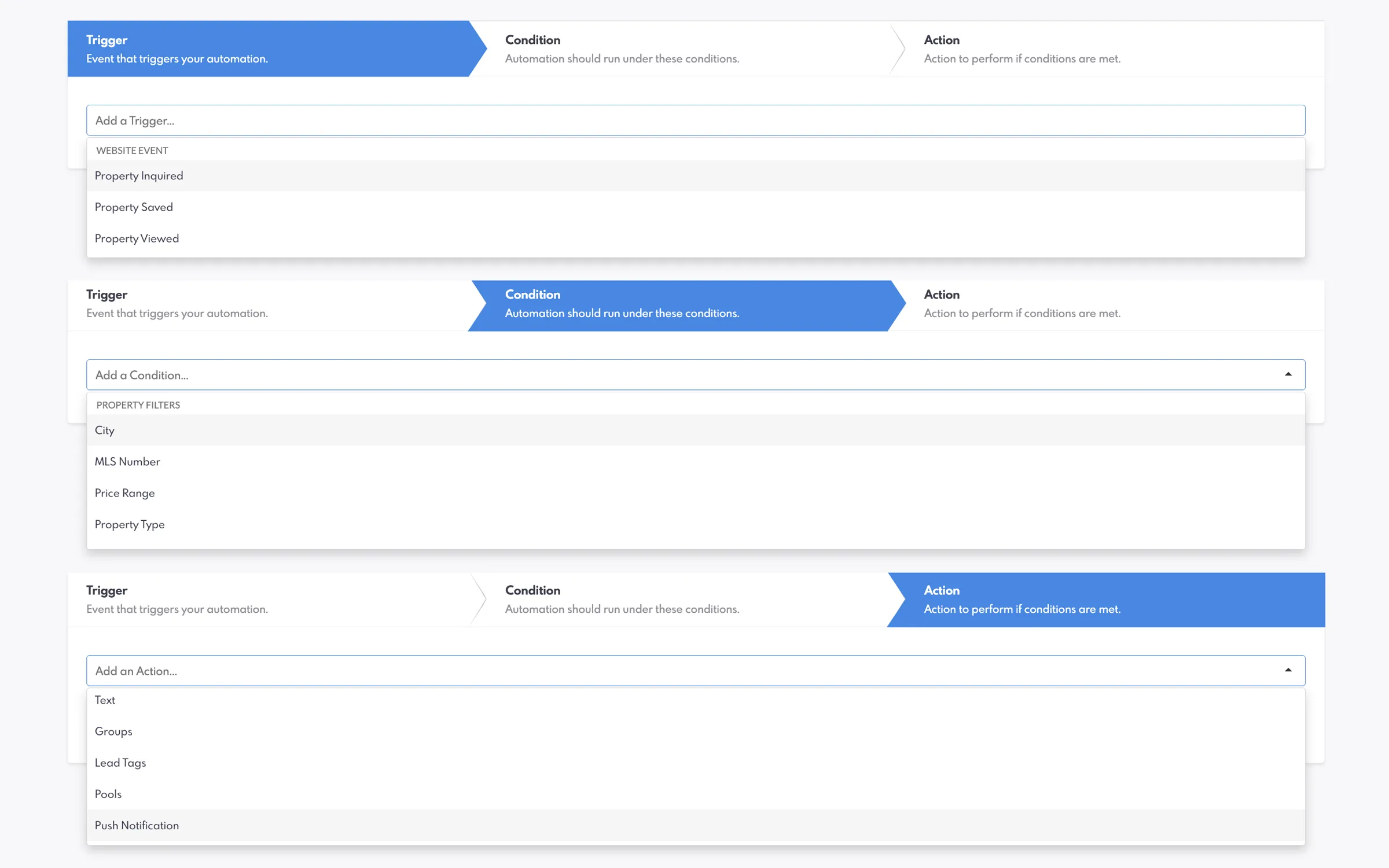
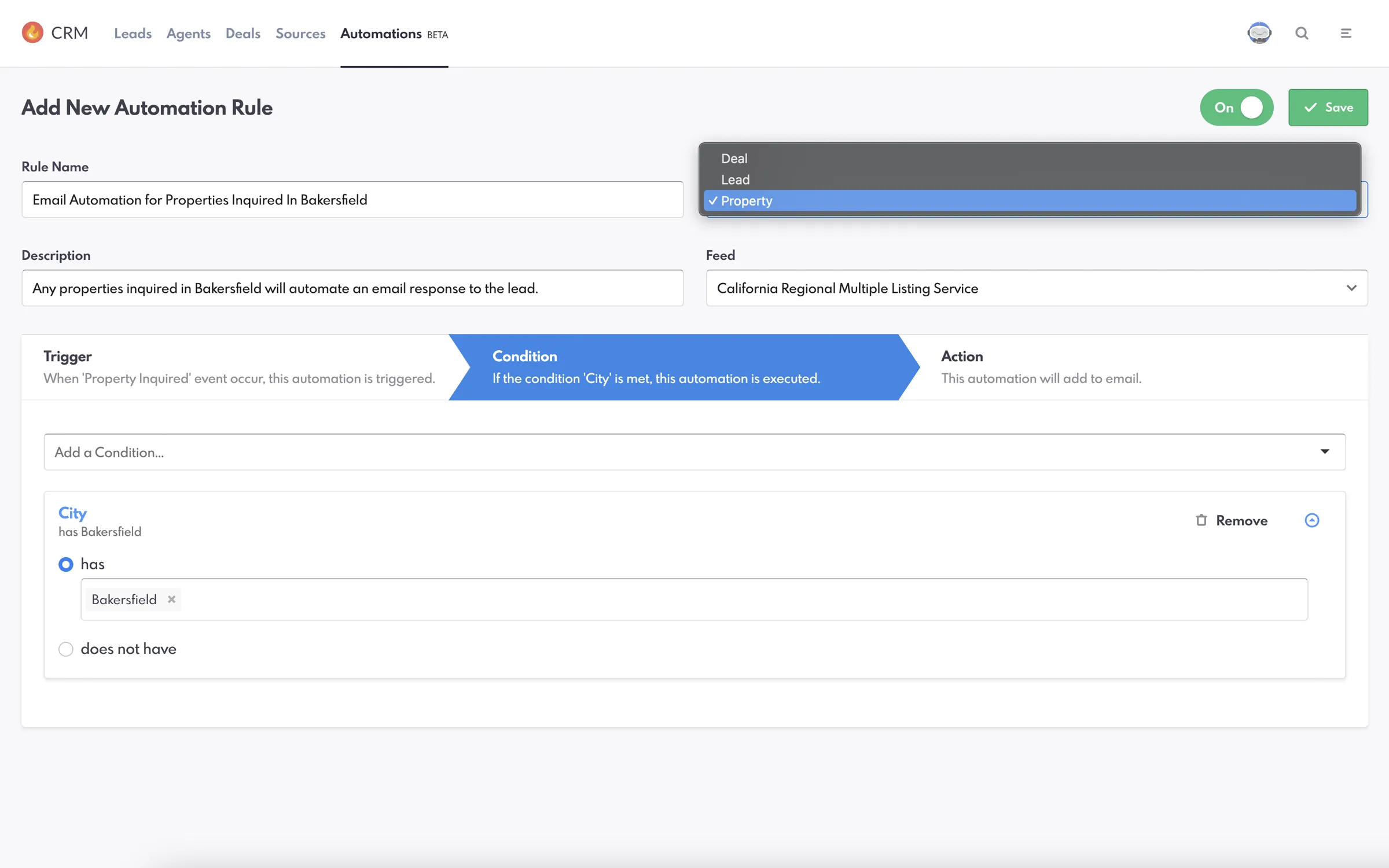
CUSTOM WORKFLOWS
Automate with Triggers, Conditions, and Actions
Automations work by setting up specific triggers to initiate actions, conditions to refine criteria, and actions to complete tasks. Whether it’s notifying agents when leads revisit listings or following up with qualified leads, the engine adapts to meet your exact needs for personalized client engagement.
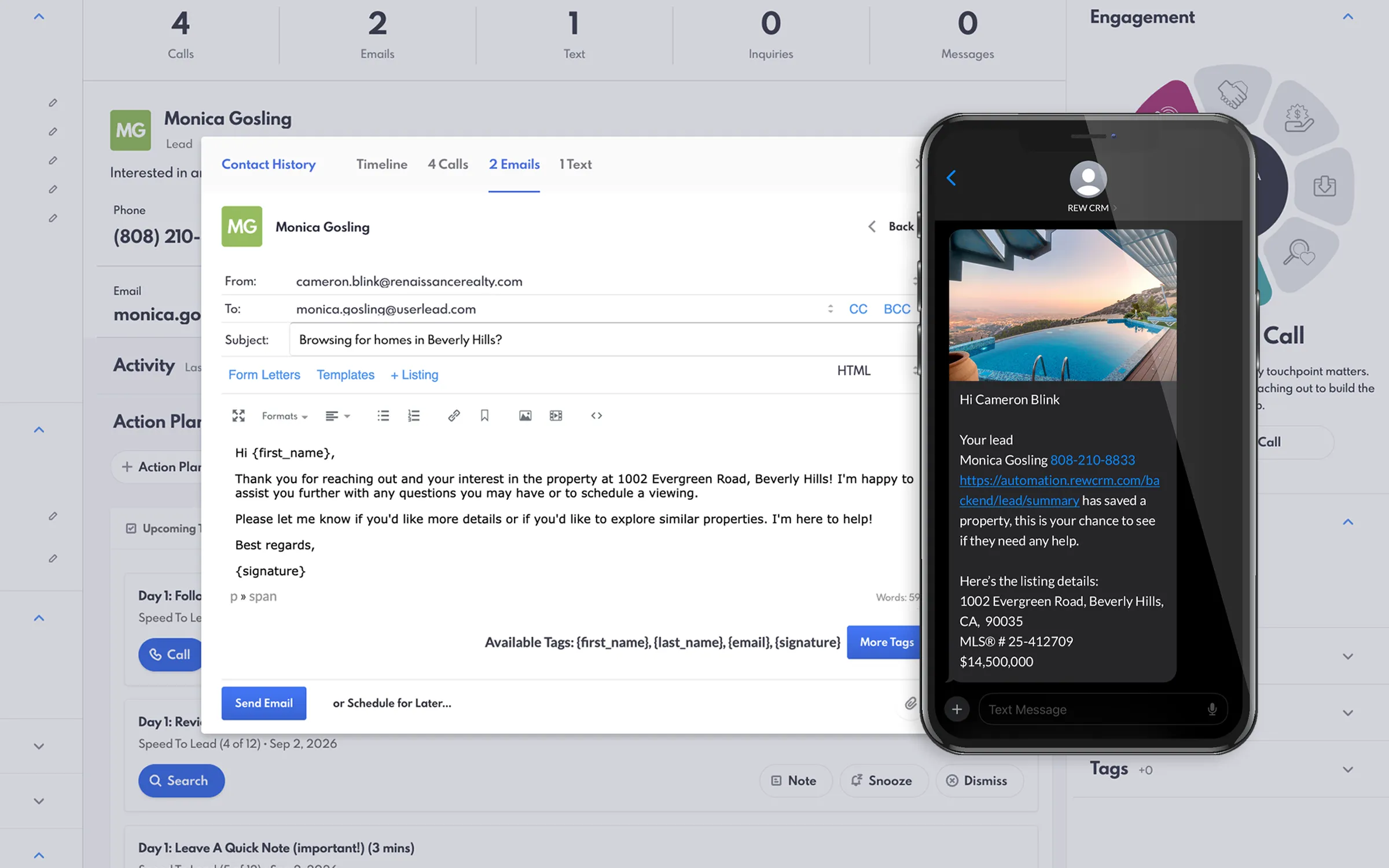
CONSISTENT COMMUNICATION
Ensure Timely Follow-Up and Communication
With automated workflows, you can rest assured that every lead receives timely, personalized communication. Automation sends emails, texts, and follow-up messages automatically, keeping clients informed and enhancing their experience without requiring manual follow-up.
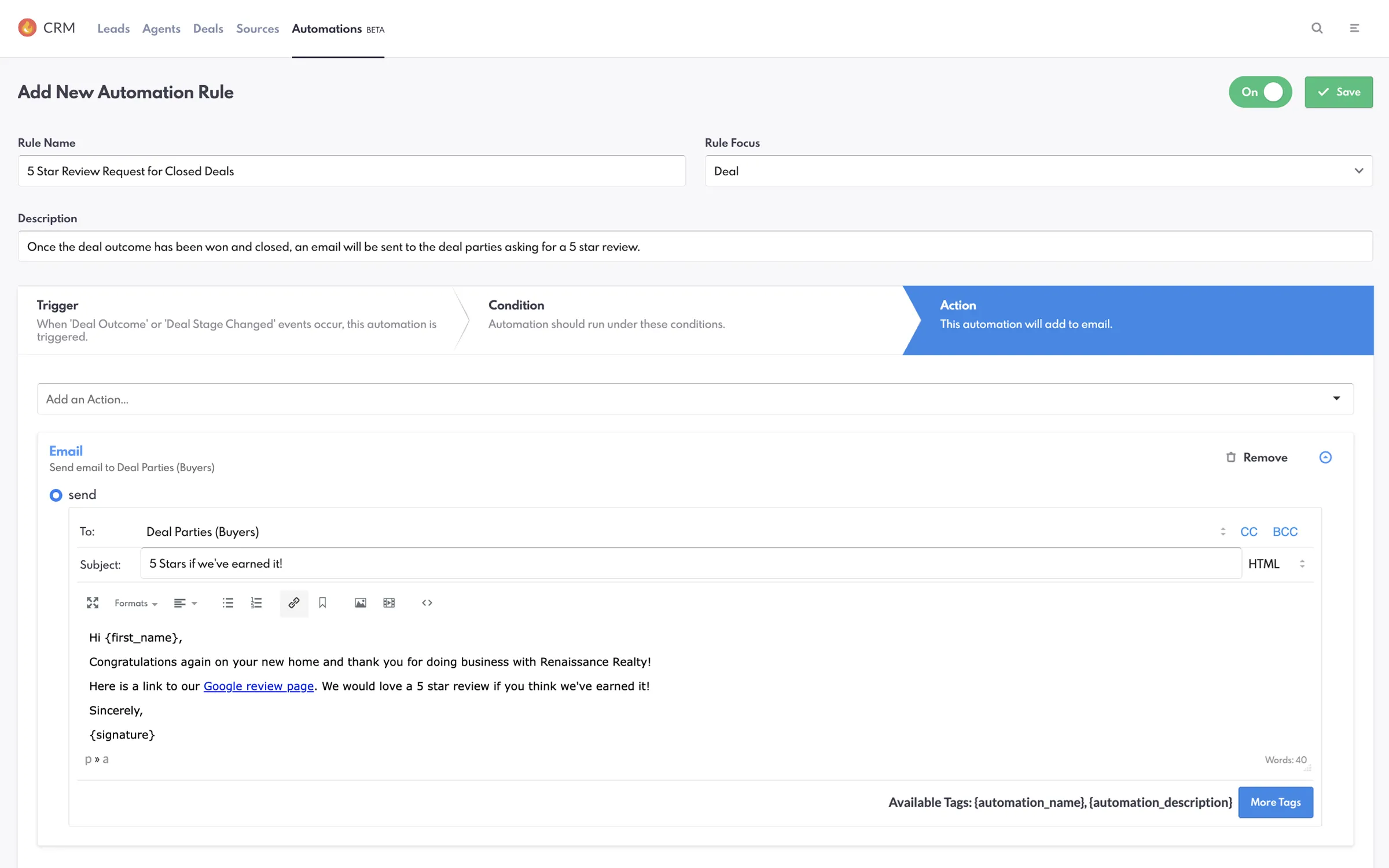
LEAD NURTURING
Nurture Leads with Targeted Automations
Automate your lead nurturing by creating workflows based on lead behavior and preferences. Triggers and conditions allow you to tailor your responses to each lead’s specific needs, providing relevant content and strengthening engagement that helps increase conversions.
Read Our Blog Post On AutomationsCommon Questions
Automations, Answered
The questions agents and team leaders ask us most often before they enable automations in their CRM. If yours is not here, ask us directly.
“What do automations do?”
Automations are a feature in the Real Estate Webmasters CRM that lets you manually set up actions when certain conditions are met. By setting up custom triggers and conditions, you can ensure timely, personalized follow-up and responses specific to your client’s needs.
“What types of tasks can I automate?”
With Automations, you can send follow-up emails or texts directly to clients, reassign leads, notify agents about new leads, add notes to lead profiles, and more.
“Are Automations included in the CRM?”
Yes. Automation settings are included in the Real Estate Webmasters CRM, and users with the required permissions are able to create, delete, or edit automation rules.
"Do I need technical skills to set up automations?"
No. The Real Estate Webmasters CRM features user-friendly interfaces that make building automation workflows straightforward and intuitive. Simply choose your Trigger, set your Conditions, and define your Action. Phase 3 of Automations also sees MLS integration and more filters.
"Can I customize the messages sent by Automations?"
Yes. When you set up an action to send an email or text, you can use the “Available Tags” feature in the dialog box to personalize messages with information like client and agent names, listing details, or deal information.
Go deeper
- IDX websites MLS® search on every board, indexable by design.
- Website design Award-winning templates, live in weeks.
- Agent websites A single-agent site that outranks the team down the street.
- Team websites Roster pages, routing and reporting for a producing team.
- Brokerage websites Multi-office, multi-market, one platform.
- Luxury websites Presentation-grade design for high-end inventory.
- Portfolio Every live client site, open and testable.
- Website redesign Keep your rankings, replace the experience.
See what your market looks like when you are the one who ranks.
Thirty minutes on a call: your market, your competition, and what it would take to own the search in it.
- 22+ years in real estate
- 60,000+ custom projects
- 90% client retention