Unlock Deeper Performance Insights with REW CRM's 24 Hour Call Report

Monitoring both your own performance and your team’s progress, internally and with clients, is an important part of a growing business. In our latest Spring Release, we introduced a new feature to give you better visibility of outgoing calls to leads: the 24 Hour Call Report.

REW CRM's 24 Hour Call Report
Think of this as yet another way to track and foster personal development for the teams you run, presented in an easy-to-understand visual format. Read on to discover more about how this can be beneficial for your business.
Table of Contents
What Is The 24 Hour Call Report?
Exactly what it says—and a whole lot more!
The 24 Hour Call Report allows you to view Agent call data. It is presented in a color-coded bubble chart, illustrating the following metrics:
- New - The number of new leads coming in through the site
- Calls - The number of outgoing agent calls
- Conversations - The number of agent-client conversations
- Appointments - The number of agent appointments
- Stacked - Means that more than one metric is occurring at once. Hover over the circle to view a breakdown of the data
This data, which is custom for each Agent, serves to illustrate when and what type of client interactions are happening. Access this by going to the Agent view of the CRM, selecting My Setup, and then clicking on “24 Hour Call Report” in the bottom right corner. This will then open up a new window with the graph and metrics. For an in-depth tutorial on how to use this feature, read our Spring Release blog post.

Finding the 24 Hour Call Report via My Setup in the Agents page
But the 24 Hour Call Report doesn’t just record data from the last day. You can toggle the date features to view the past 7 days, past 14 days, and more, including a custom date range.
This feature is available to Admins, however an additional permissions can be toggled so that individual Agents can view all of the call reports company-wide—as opposed to just their own data.
How To Use The 24 Hour Call Report To Your Advantage
With the 24 Hour Call Report, it’s now easier to pinpoint individual Agents’ performance. Think of it like an easy way to provide a framework for accountability, while also illustrating changes over time.
For businesses, this can be exceptionally helpful to monitor the performance of your agents, and ultimately learn more about their patterns, strengths, weaknesses, and the types of clients that your site attracts.

Example of Agents call performance during the day
As an example, an Agent who has significantly more calls at a certain time of day might want to rework their schedule around this for maximum productivity or attempt to balance this out by moving certain tasks around. This also might say a lot about your clientele and what they prefer, as well.
You might observe that the number of Appointments may have decreased over the past 3 months, and this might be something that you address internally. Or, there might be an increase in how many New Leads turn into Calls, which later turn into Appointments. There are numerous ways for the data to appear as well as what action plans you can take once interpreting the data.
The best part is, you can easily see how your changes have impacted the data and the performance of your team!
REW CRM's 24 Hour Call Report feature helps monitor team performance and personal development through visual metrics tracking. In this video, learn where to find this feature, how it works and where to set permissions for Agents. Introduction to the Call Report Hi everyone. We all know that monitoring both your own performance and your team's progress is an important part of a growing business. REW CRM's twenty four hour call report is designed to track and foster personal development for the teams you run, presented in an easy to understand visual format. In this video, I'll show you where you can find the twenty four hour call report and walk you through how to set permissions for each agent. Navigating to the 24 Hour Call Report So let's get into it. Log into the REW CRM and head to the agent's homepage. On the bottom left corner of the screen, click on my setup. In this modal, you'll notice a new section for the twenty four hour call report. Click into this. Here, you'll find the metrics for your twenty four hour call report. By default, the report will show results for today's date. As you can see, I currently have no data to show. So let's change the date by clicking on this dropdown. Similar to your agent's graph, you have the ability to choose specific dates, timeframes, or select a custom range. Interpreting the Report Metrics Now that we have some metrics to show, let's go through what each bubble represents. There are four metrics available. Pink represents new leads, orange is for calls, Green for conversations, and blue for appointments. I'll run through exactly what stacked means in just a moment. So how does this chart work? The left side of the chart shows the totals of each metric, while the bottom shows the time of the day these metrics have occurred. If you hover over each bubble, the system will display the summary of each activity. Now the yellow bubble or stacked means that two or more activities have occurred with similar totals and at the same time. For example, this bubble here shows me that two conversations and two calls have been made at three pm. Customizing the Report View You also have the ability to view selected metrics and a specific agent's report. So let's say I only wanna view calls and conversations. All I have to do is click on this dropdown and deselect the other metrics I don't wanna see. Just make sure you hit go to refresh the report. And if I wanted to view a specific agent's report, just follow the same steps. But this time, select your agent from the middle dropdown. It's that simple. Think of this chart as an additional way to provide a framework for accountability, which will help you monitor the performance of your agents and learn more about their patterns, strengths, weaknesses, and the types of clients your site attracts. Agent Access and Permissions Overview So are all agents able to access this feature? Absolutely. By default, super admins will have access to their own plus their whole team's twenty four hour call report data, and agents are able to view their own. Super admins can however manually disable or grant special permissions to a specific agent to allow them access to other agents' reports. Let's run through the process. Setting Permissions for Agents Navigate to the hamburger menu on the top right of the screen and head to the company page. Select an agent you want to set permissions to. Within the agent summary dropdown, click on permissions. Expand the agent privileges section. Towards the bottom, enable or disable the view twenty four hour call report box. With this toggled on, this will grant this agent access to this feature and ability to view their own report. Additionally, if you wish to allow this agent to view other agents' twenty four hour call report data, simply tick the add and edit agents box. And finally, save your changes. And that's about it for the twenty four hour call report. If you have any questions or wanna learn more about this feature, please reach out to us at rew.com or join the conversation on our forums page. Thanks for watching. 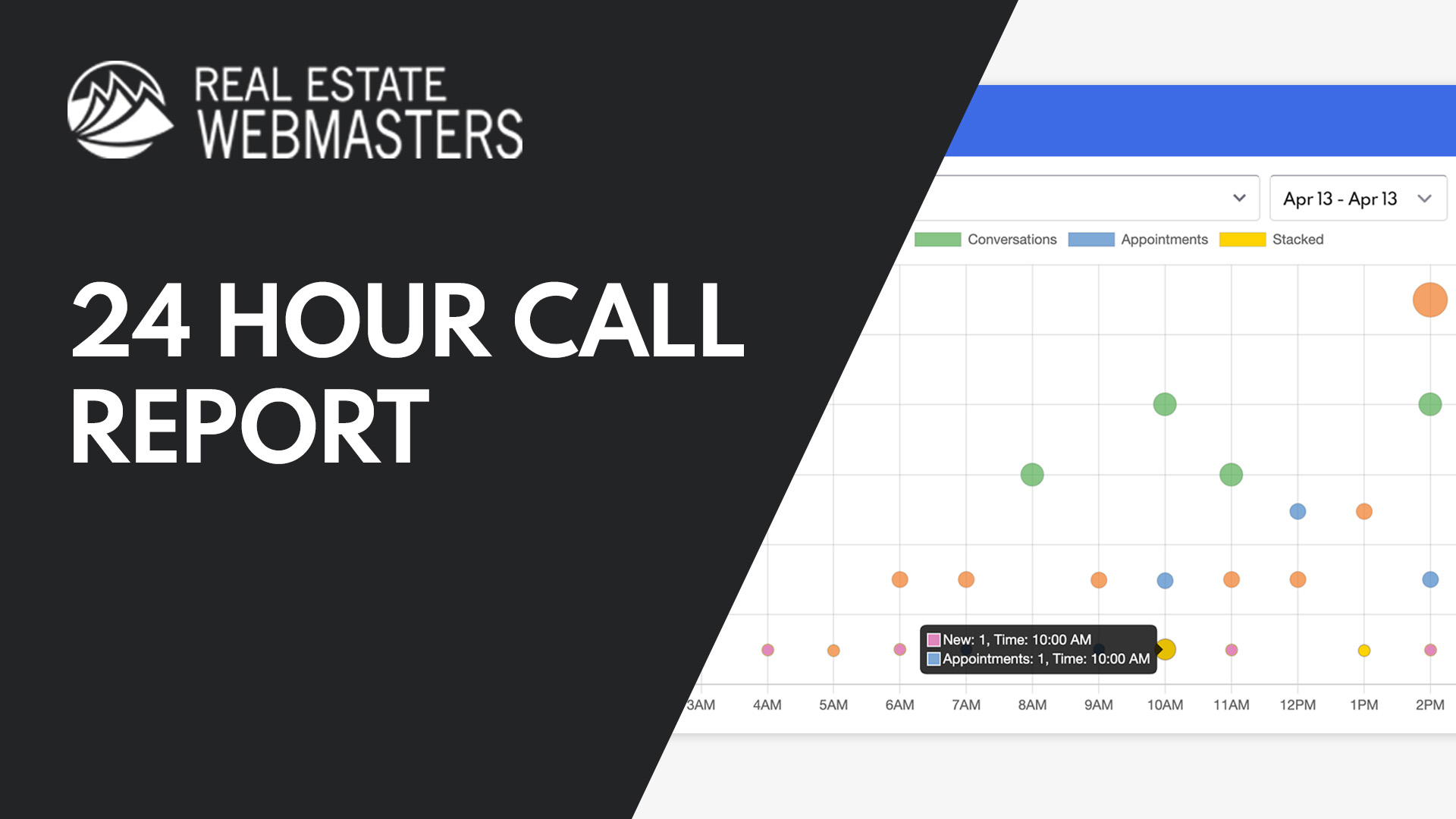
How To Use The 24 Hour Call Report
Upgrading To The Latest Renaissance Platform
The 24 Hour Call Report, along with many of REW’s newest features, is available on the GKE platform. If you’re currently using an older system, upgrading to Renaissance gives you access to the latest AI capabilities, performance enhancements, and continuous feature updates. Not sure where your platform stands or what the upgrade involves? Check out our blog on upgrading or contact our team to learn more.

Benefits of upgrading to the latest Renaissance
24 Hour Call Report FAQ
What is the 24 Hour Call Report in the REW CRM?
The 24 Hour Call Report is a feature that provides a visual overview of agent call activity using a color-coded bubble chart. It tracks key metrics like new leads, outgoing calls, conversations, and appointments to help you better understand performance.
What metrics are included in the 24 Hour Call Report?
The report highlights four main metrics: new leads, calls, conversations, and appointments. It also includes a stacked view, allowing you to see when multiple activities occur at the same time, with detailed breakdowns available on hover.
Can I view data beyond just the last 24 hours?
Yes, while it’s called the 24 Hour Call Report, you can adjust the date range to view data from the past 7 days, 14 days, or even set a custom range for deeper analysis over time.
Who can access the 24 Hour Call Report?
The feature is available to Admins by default, but permissions can be enabled to allow individual agents to view company-wide data, not just their own performance.
How can the 24 Hour Call Report improve team performance?
It helps identify patterns, strengths, and areas for improvement by showing when and how agents interact with leads. This makes it easier to build accountability, optimize schedules, and track how changes impact overall performance.
Is the 24 Hour Call Report available on all REW platforms?
No, the 24 Hour Call Report is only available on REW’s latest Renaissance platform, which runs on GKE. If you’re using an older system, upgrading is required to access this feature, along with the latest AI tools, performance improvements, and ongoing feature updates. Contact us for more details.