Deals
Simplify Real Estate Transactions with Deals.
Take transaction reporting to a new level with Deals in the Real Estate Webmasters CRM. Organize, track, and analyze your real estate transactions in one central location with insightful reporting tools.
Trusted by teams and brokerages across North America






Watch the Walkthrough Video
Explore Deals in the Real Estate Webmasters CRM with our step-by-step video tutorial. We'll guide you through how to set up buy- and sell-side deals, and provide an overview of the Deals dashboard.
The problem
Keeping track of your real estate deals can be overwhelming
Appointments, buyer contract details, offer specifics, and deal statuses are just some of the components of the deal process that your agency has to stay on top of to ensure a smooth buying/selling process for your clients.
We’re the answer
Streamline Deals Management
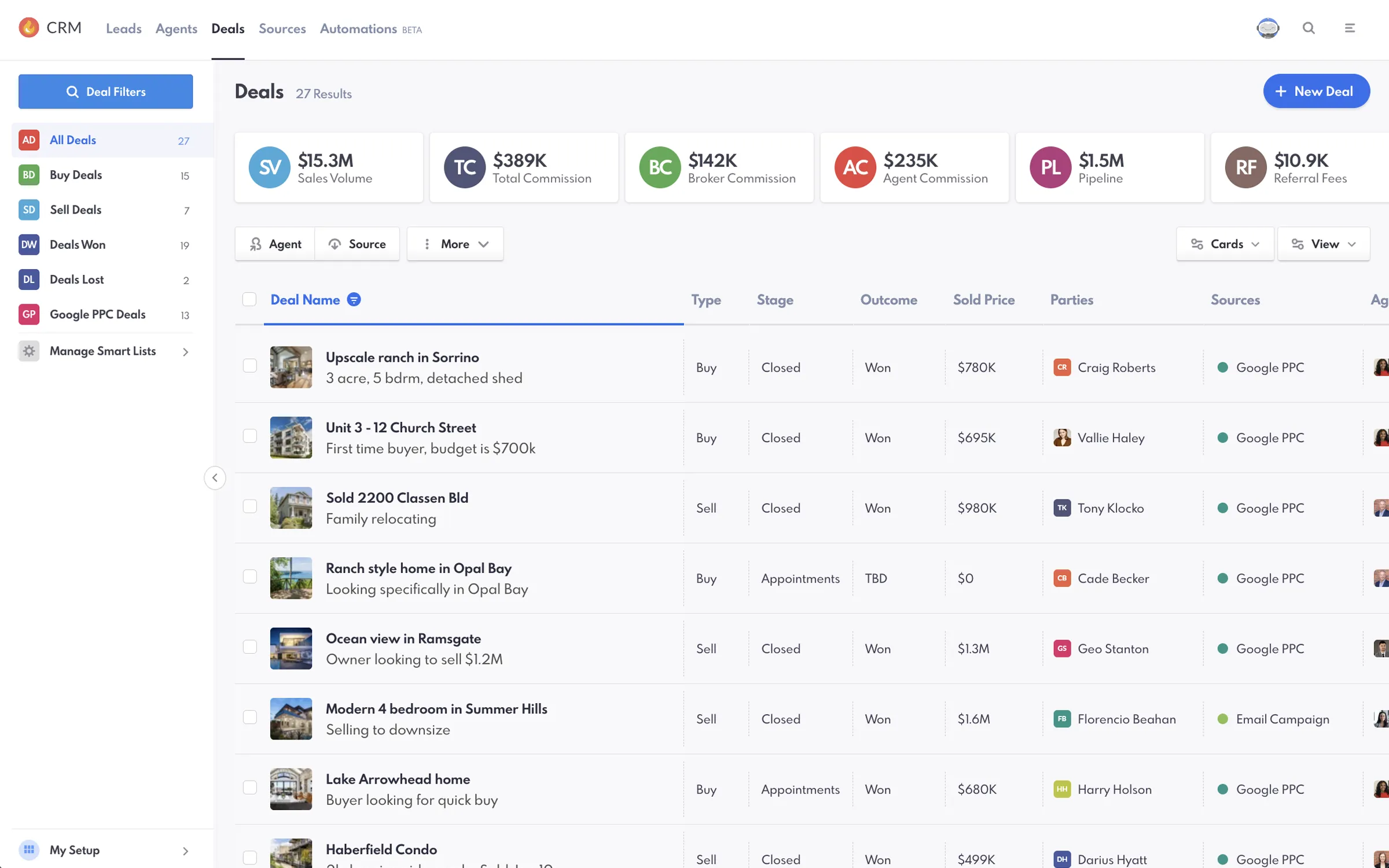
With Deals, the central dashboard allows you to efficiently manage your real estate deals pipeline from start to finish. Easily navigate through deal stages and organize deals based on type to make sure nothing slips through the cracks. Key metrics, like sales volume and total commission, allow you to make informed decisions based on real-time data. With each transaction organized into clear stages, your team is organized and accountable.
No pressure, no obligation
What Happens When You Book
-
A 30-minute call
You tell us about your aspirations and objectives, and we listen.
-
A review of your market
We take a look at your current site, your competition, and where the opportunities are.
-
A plan and a price
We provide you with a cost breakdown of what we can do and your projected returns.
Pricing
Simple, transparent pricing.
-
Single user
$350 /mo
For individual agents; no outside CRM needed.
-
Most popular
Small team · 5
$499 /mo
Up to 5 users.
-
Large team · 10
$799 /mo
Up to 10 users.
-
Brokerage · 25
$999+ /mo
Up to 25 users, and scaling.
CENTRALIZED MANAGEMENT
Manage Your Deals in One Place
Deals provides a central dashboard in the Real Estate Webmasters CRM where you can manage all aspects of your real estate deals. The intuitive interface makes it easy to navigate through deal stages, track outcomes, and organize deals based on type, ensuring nothing slips through the cracks.
PERFORMANCE METRICS
Visualize Key Performance Metrics
Report Cards in Deals offers a visual snapshot of important metrics like Sales Volume, Total Commission, Broker Commission, and Agent Commission. These metrics give you a quick overview of your performance, allowing you to make informed decisions based on real-time data.
DEAL TRACKING
Track Progress with Deal Stages
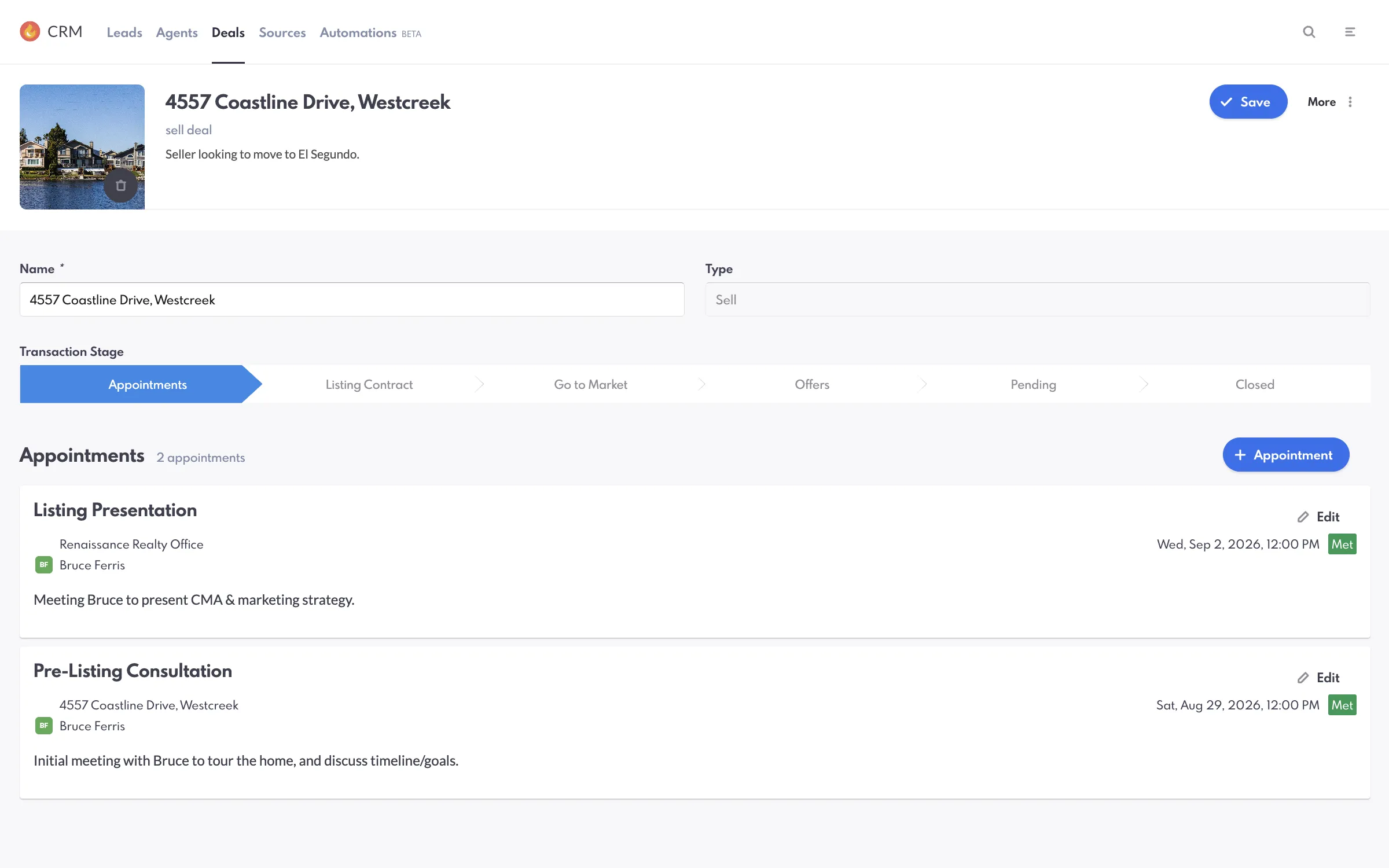
Deals categorizes each transaction into clear stages, from appointments to closure. This systematic approach helps agents stay organized, while managers can use it as a training tool to identify areas that need improvement, fostering a culture of accountability.
Read Our Blog Post On REW DealsCommon Questions
Deals, Answered
The questions agents and team leaders ask us most often about deal management in their CRM. If yours is not here, ask us directly.
“What can you do with Deals in the CRM?”
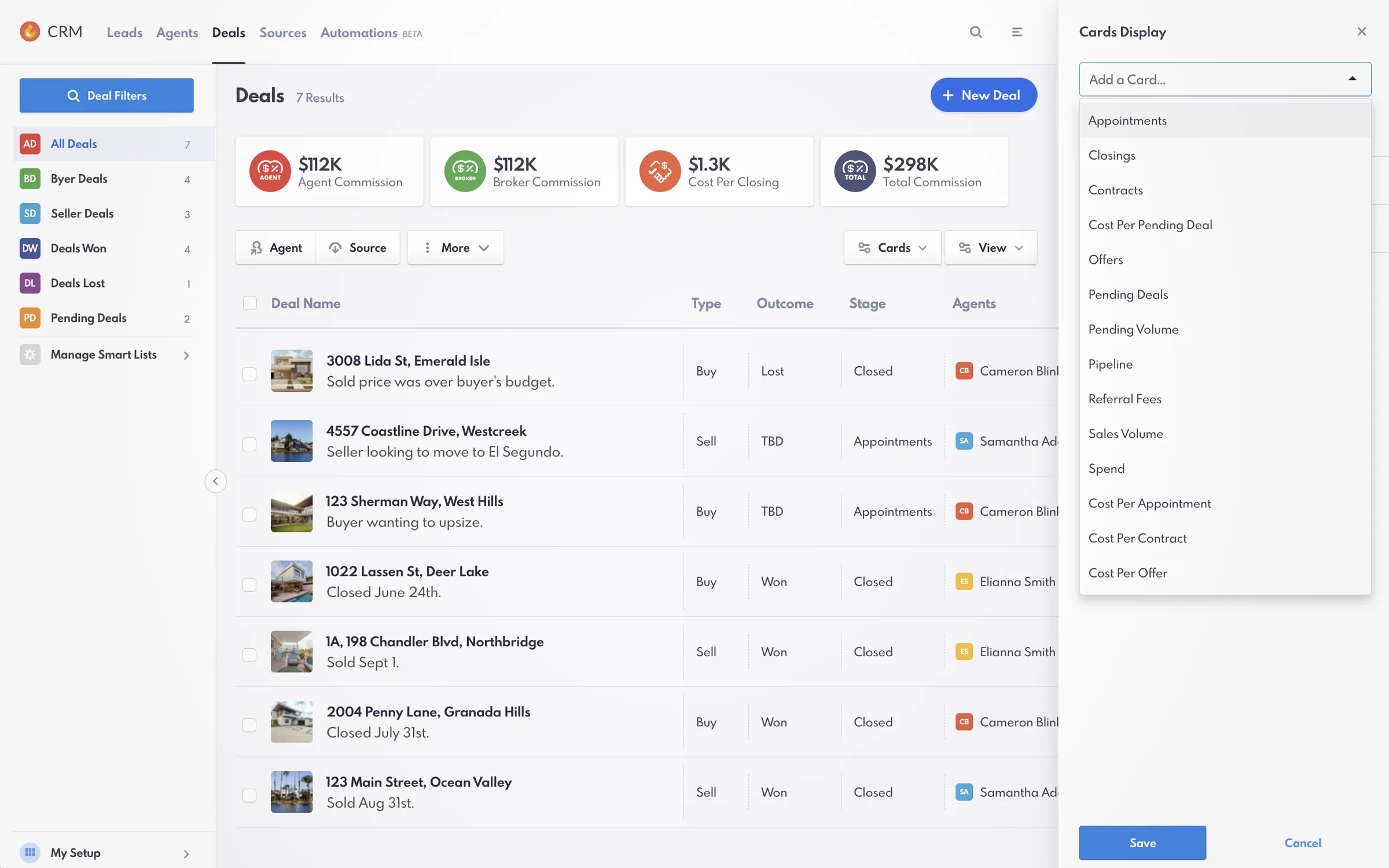
With the Deals dashboard, you can customize views, create, delete, and edit deals and smart lists, and monitor all stages of the transaction pipeline.
“What types of tasks can I automate?”
With Automations, you can send follow-up emails or texts directly to clients, reassign leads, notify agents about new leads, add notes to lead profiles, and more.
“Are Deals tools included in the CRM?”
Yes. The Deals interface is available from the main CRM header menu. Users with the required permissions can create, delete, and edit deals and smart lists, as well as edit views on the dashboard.
"What deal stages can you track in Deals?"
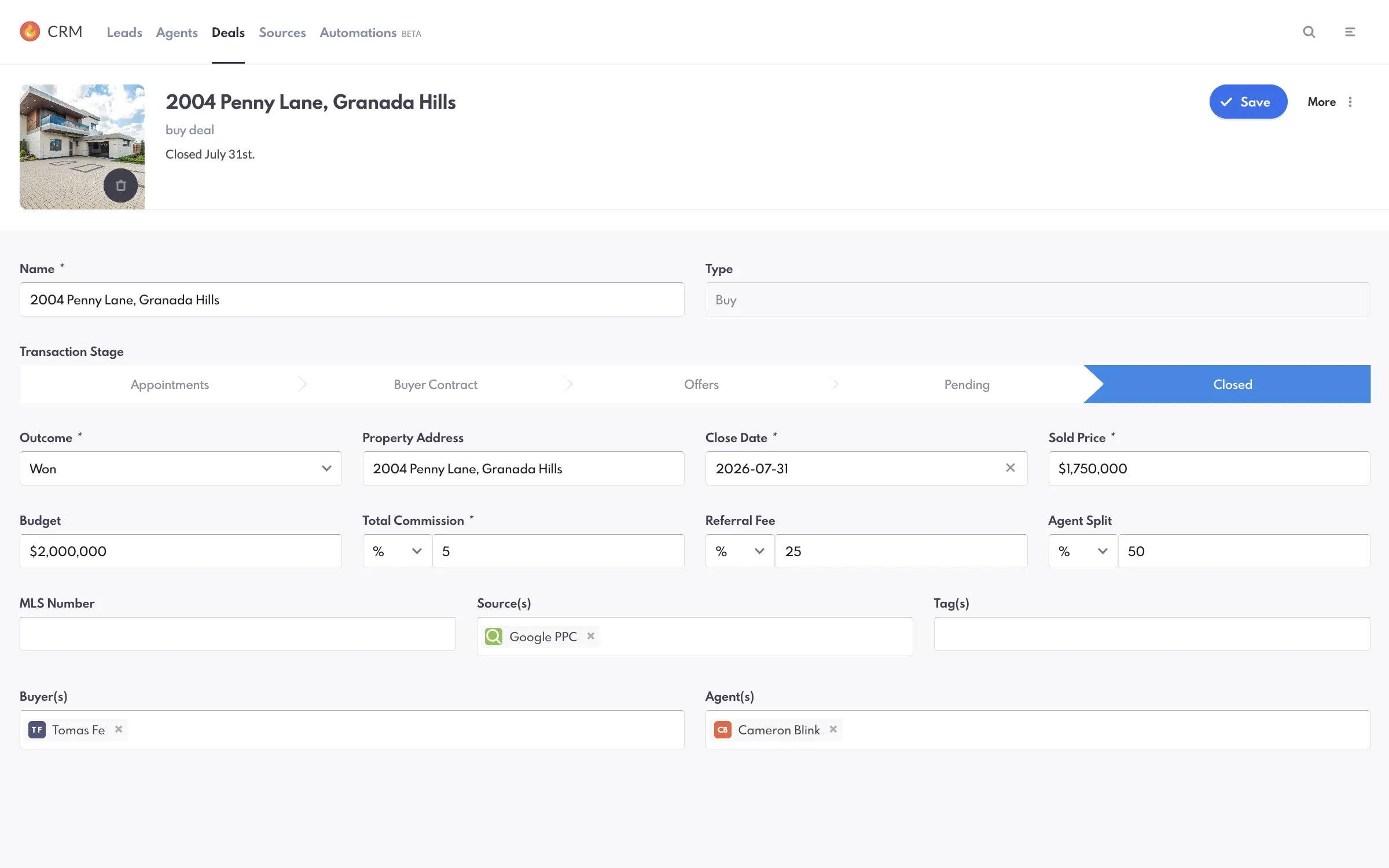
With each deal that you create in Deals, you can track appointments, buyer contract details, offers, and deal status (pending/closed).
"Why is it important to log deals and sources on Deals?"
Consistently logging your deals and lead sources on Deals gives you more accurate reports on your performance. You can use the data to find unique opportunities, improve your strategy, and celebrate wins.
"Can I track both buy-side and sell-side deals on Deals?"
Yes. There is a drop-down field on Deals that allows you to choose the type of deal you want to log.
"Can I set up Automations for Deals?"
Yes. Our Automations feature allows you to set up automatic actions (such as notifying you by email, text, or push notification) for deals.
Go deeper
- IDX websites MLS® search on every board, indexable by design.
- Website design Award-winning templates, live in weeks.
- Agent websites A single-agent site that outranks the team down the street.
- Team websites Roster pages, routing and reporting for a producing team.
- Brokerage websites Multi-office, multi-market, one platform.
- Luxury websites Presentation-grade design for high-end inventory.
- Portfolio Every live client site, open and testable.
- Website redesign Keep your rankings, replace the experience.
See what your market looks like when you are the one who ranks.
Thirty minutes on a call: your market, your competition, and what it would take to own the search in it.
- 22+ years in real estate
- 60,000+ custom projects
- 90% client retention