Sources
Optimize Your ROI With Lead Source Insights.
Source management right in your CRM. With the ability to categorize, filter, and track the performance of each lead source, you can understand where your leads are coming from and how to make the most of your strategy.
Trusted by teams and brokerages across North America






Watch the Walkthrough Video
Explore the workflow of Source Management in the Real Estate Webmasters CRM with our step-by-step video tutorial. We'll guide you through how to create new sources, organize your leads into source groups, and provide an overview of the metrics our Source View page offers.
The problem
You Need to Know Where Your Leads are Coming from
Lead acquisition is critical to the success of your agency. If you don’t know where your leads are coming from, you are unable to effectively leverage your marketing strategy. Without reliable data, you are flying blind.
We’re the answer
Improve Your Marketing Strategy with Real-Time Data
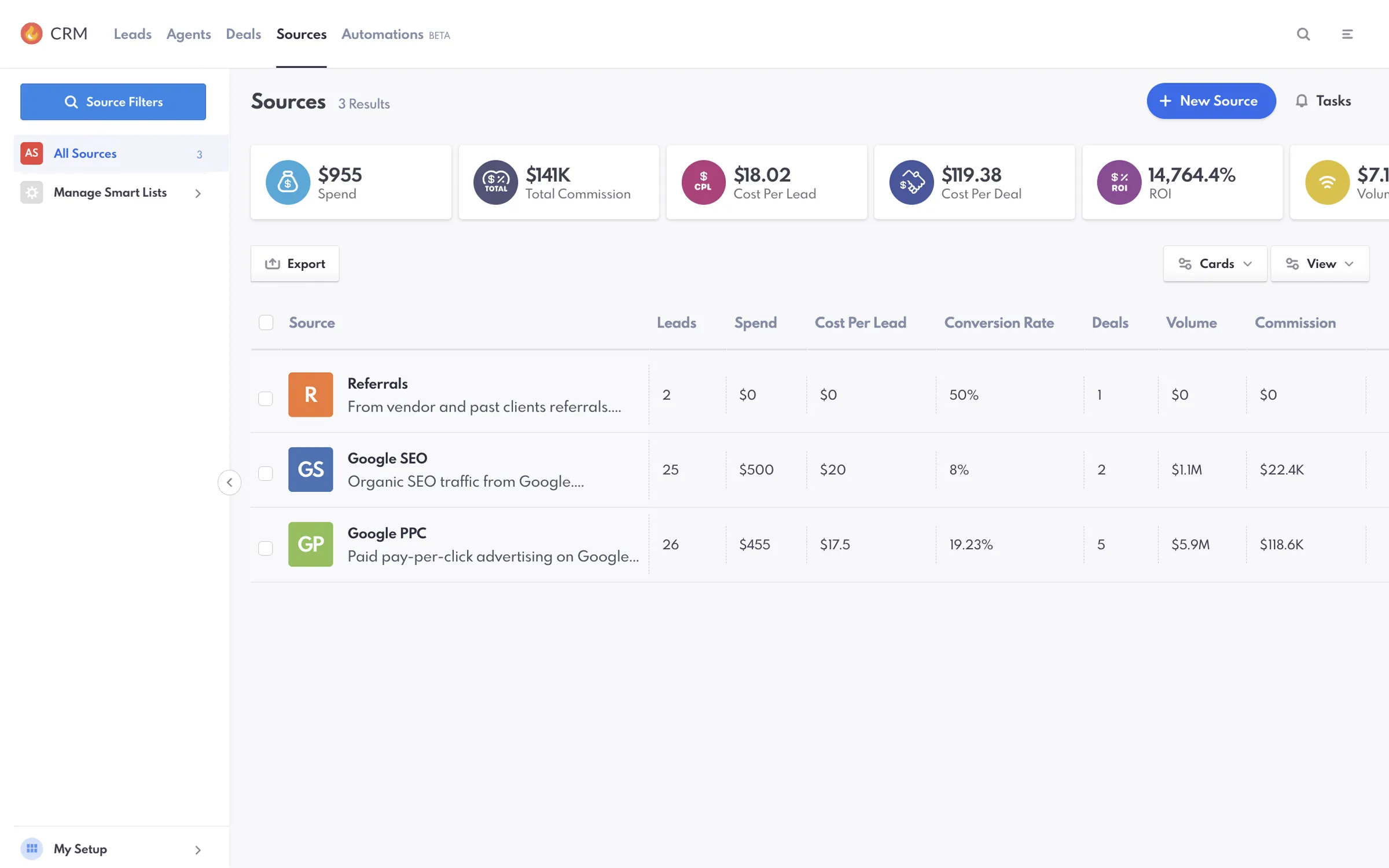
With Sources in the Real Estate Webmasters CRM, you can categorize your leads based on their origin, whether they come from referrals, ads, or organic search, enabling you to allocate your resources more effectively. Key metrics in available reports, such as Spend, Cost Per Lead, and ROI, provide a clear overview of how each lead source is performing, making it easier to identify your most cost-effective channels. Using source management tools, you can log and refine your marketing spend based on real-time data, allocating resources to the channels that are delivering the best results.
LEAD ORGANIZATION
Organize Your Lead Resources
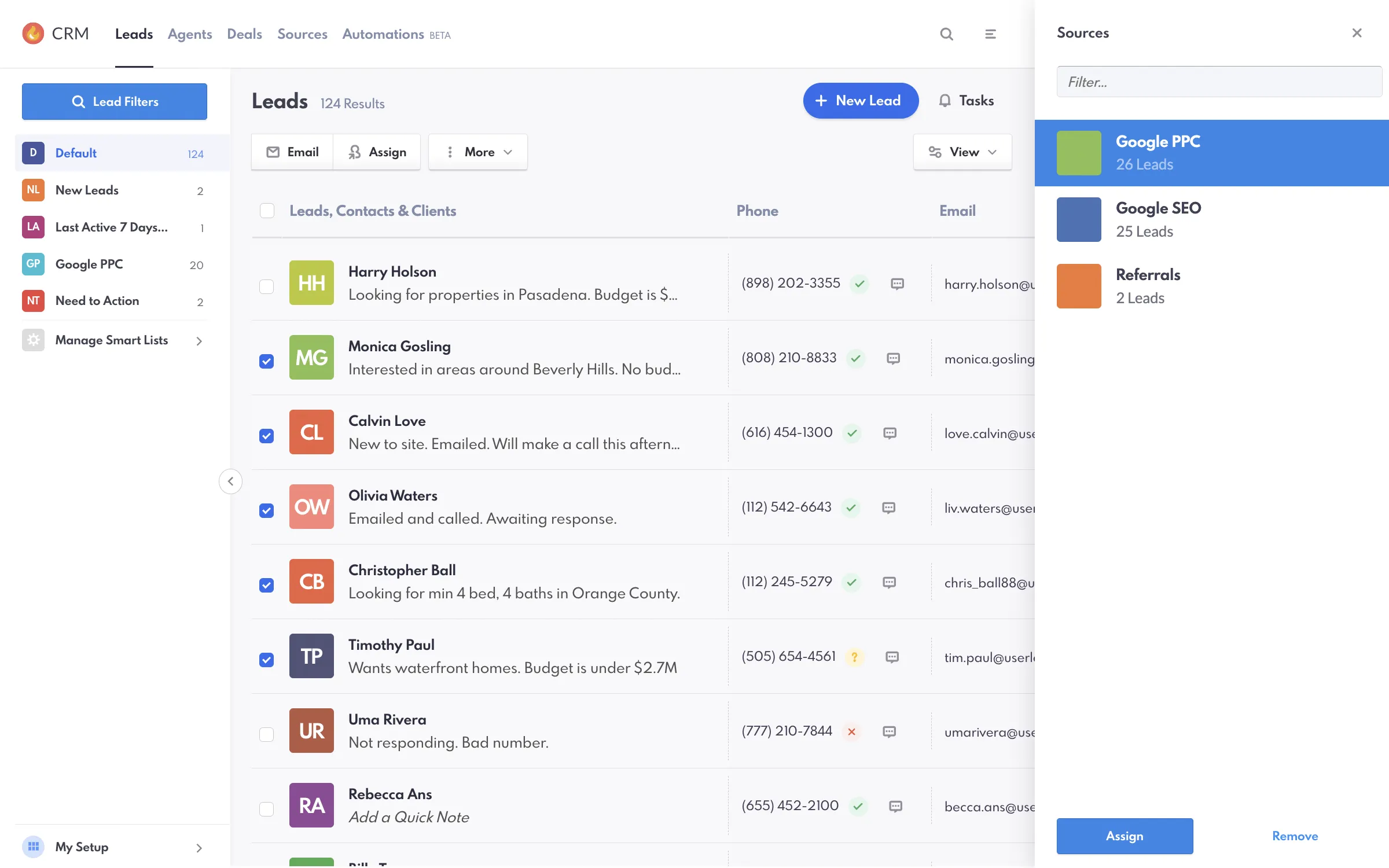
Sources in the Real Estate Webmasters CRM allows you to categorize your leads based on their origin, whether they come from referrals, ads, or organic search. This organization helps you allocate resources more effectively, ensuring that your marketing efforts are always targeting the most fruitful channels.
ROI TRACKING
Enhance Reporting with Key Metrics
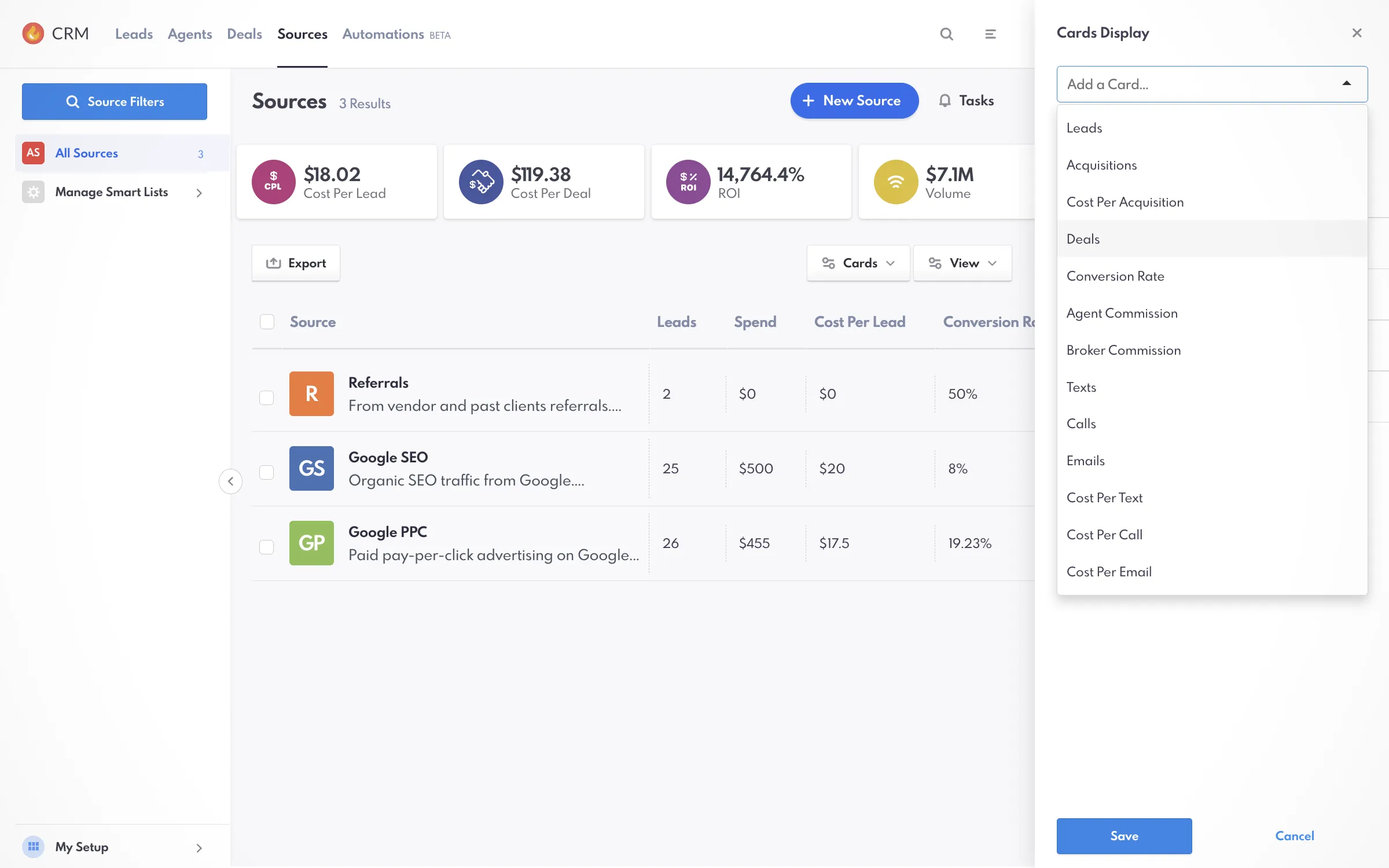
Source View provides enhanced reporting with metrics like Spend, Cost Per Acquisition, and ROI. These report cards offer a clear overview of how each lead source is performing, making it easier to identify the most cost-effective channels and adjust your marketing strategy accordingly.
PERFORMANCE OPTIMIZATION
Improve Your Lead Generation Performance
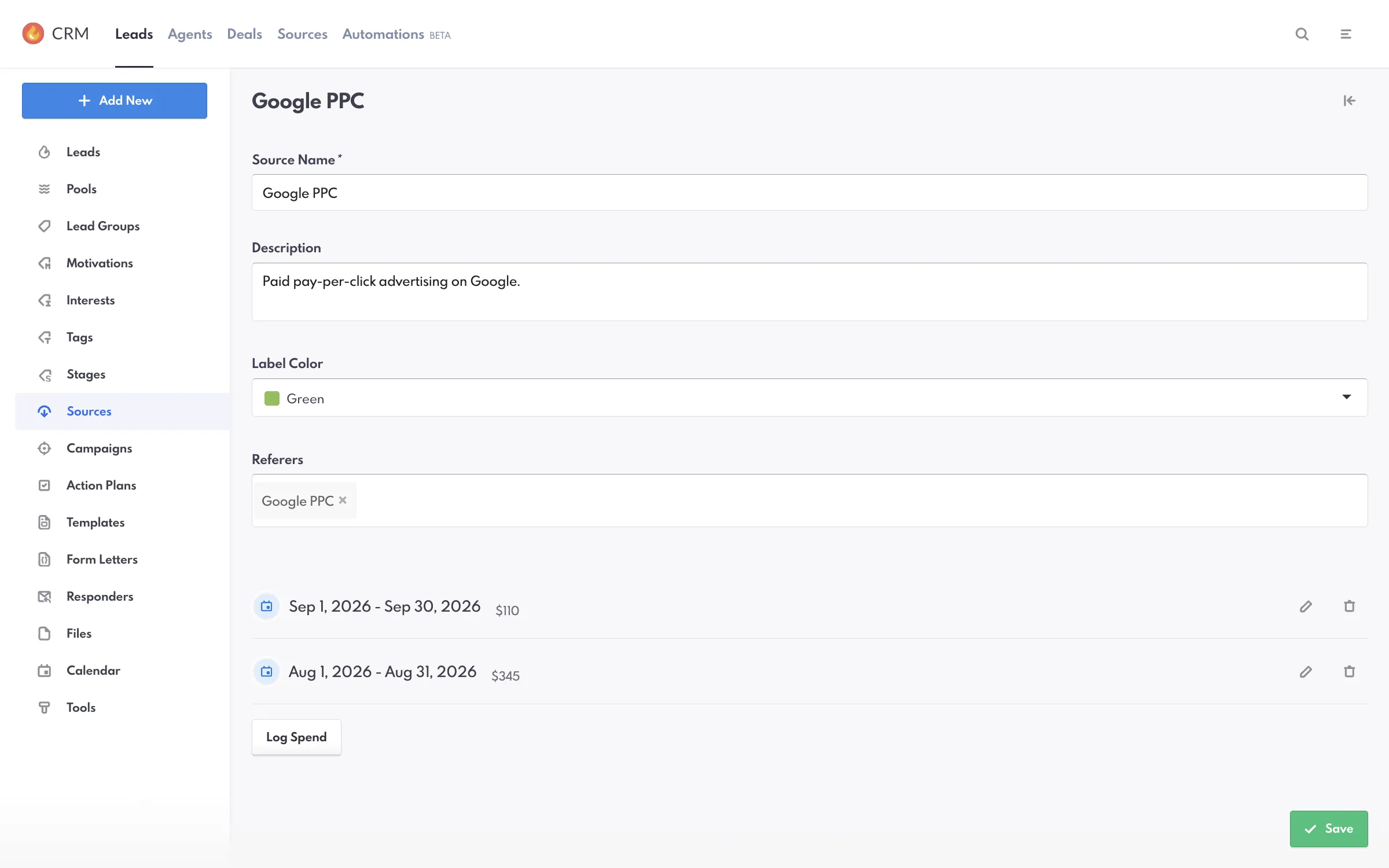
With source management, you can log and refine your marketing spend based on real-time data. By consistently reviewing lead performance and adjusting your approach, you’ll be able to allocate your budget to the channels that deliver the best results, boosting your overall ROI.
Read Our Blog Post On REW SourcesCommon Questions
Source Management, Answered
The questions agents and team leaders ask us most often about source management in their CRM. If yours is not here, ask us directly.
“What is Source Management? ”
Source Management in Real Estate Management CRM allows you to track where your leads are coming from, helping you identify the most effective marketing channels and optimize your efforts to maximize ROI.
“What can you do with Sources in the CRM?”
In the Sources interface, you can manage Sources, assign Leads to Sources, customize views, and create smart lists.
“Are Sources tools included in the CRM?”
Yes. The Sources interface is available from the main CRM header menu. Users with the required permissions can view and manage Sources.
"Can I track spending and ROI with Source Management?"
Yes! You can log your marketing spend for each source and track the resulting leads, deals, and ROI to see which channels are most cost-effective.
"What key metrics are available in Sources?"
Key metrics in the Sources interface include Spend, Cost Per Acquisition, Cost Per Deal, and ROI. Additional metrics include Leads, Spend, Cost Per Lead, Conversion Rate, Deals, Volume (Total sold pieces of deals), and Commission.
Go deeper
- IDX websites MLS® search on every board, indexable by design.
- Website design Award-winning templates, live in weeks.
- Agent websites A single-agent site that outranks the team down the street.
- Team websites Roster pages, routing and reporting for a producing team.
- Brokerage websites Multi-office, multi-market, one platform.
- Luxury websites Presentation-grade design for high-end inventory.
- Portfolio Every live client site, open and testable.
- Website redesign Keep your rankings, replace the experience.
See what your market looks like when you are the one who ranks.
Thirty minutes on a call: your market, your competition, and what it would take to own the search in it.
- 22+ years in real estate
- 60,000+ custom projects
- 90% client retention