At Real Estate Webmasters, we’re all about helping you scale your business. When we talk about goals in real estate, especially around building out and managing your website, a common response we get is that it’s all about lead generation. Sure, getting leads is great, but tons of website traffic and big marketing are wasted without a strong follow-up system.
To put it simply—what you do once a lead comes in is integral to the success of your business. So are you using the CRM to its full potential?
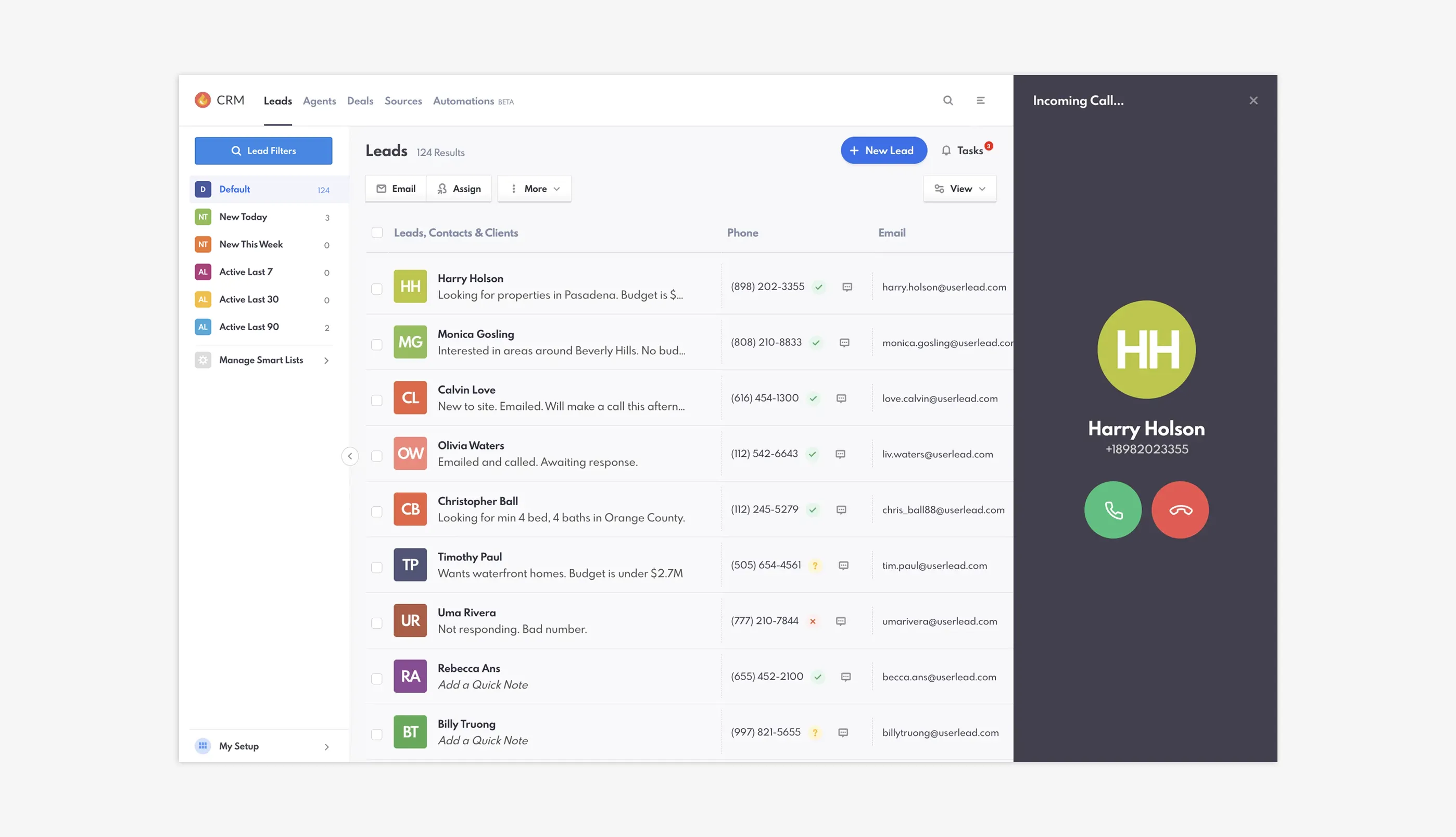
REW CRM's Leads Dashboard
Our CRM is designed to help make managing your leads easy, providing you with detailed metrics, advanced tracking and communication, and the ability to automate a variety of actions (so that leads never slip through the cracks). Let’s go over some best practices in the CRM to help you get the most out of our software!
Table of Contents
Step One: Setting Things Up
One of the biggest mistakes we see people make is not setting up the CRM correctly. Doing this—which can take about an hour, but we promise that it’s worth it!—means that your workflows are optimized. This saves you a lot of time in the long run!
The four major aspects of the CRM that you’ll want to ensure are set up are:
- Smart Lists
- Custom views
- Notifications
- Lead details
So why are these elements so important? It’s pretty straightforward: they help you facilitate conversation with leads, which is the most important engagement metric in the CRM. But when you set these up, keep a few things in mind.
Smart Lists are not for measuring outcomes of marketing. We often see these being built as if you’re keeping track of lead sources, but they should actually help you set up your daily workflows. To be able to to make the type of calls you want, we recommend the you build your Smart List workflow, your “daily stack”, to look something like this:
- New Today
- New This Week
- Active last 7
- Active Last 30
- Active Last 90
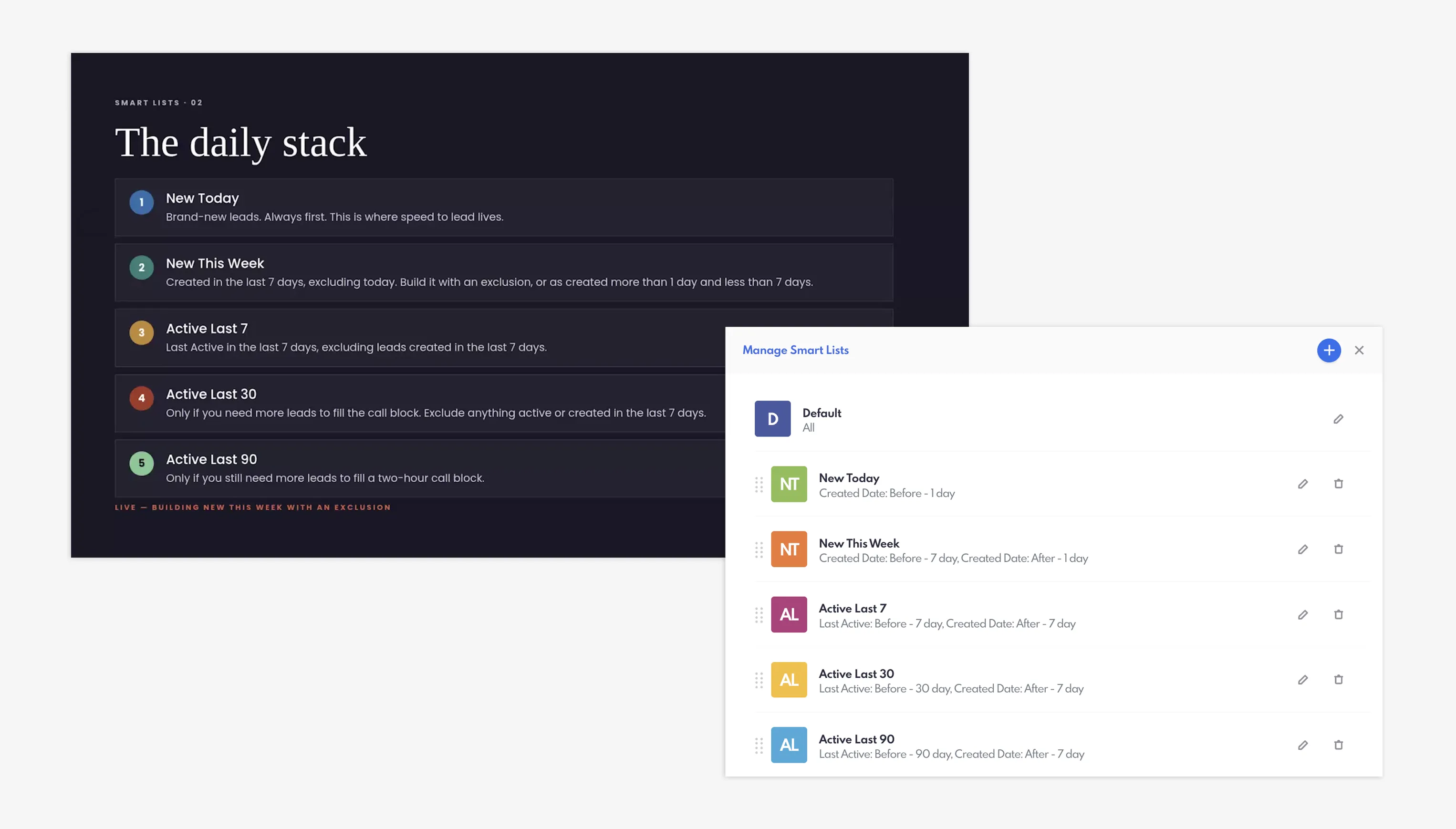
REW CRM's Smart Lists: The Daily Stack workflow
We also recommend using our Next and Previous buttons on the Lead Details page. These allow you to navigate between leads within your Smart Lists without leaving the page—ideal for getting through large volumes of leads during call blocking sessions. You can run down your list and knock out your calls in a rapid-fire, time-saving approach.
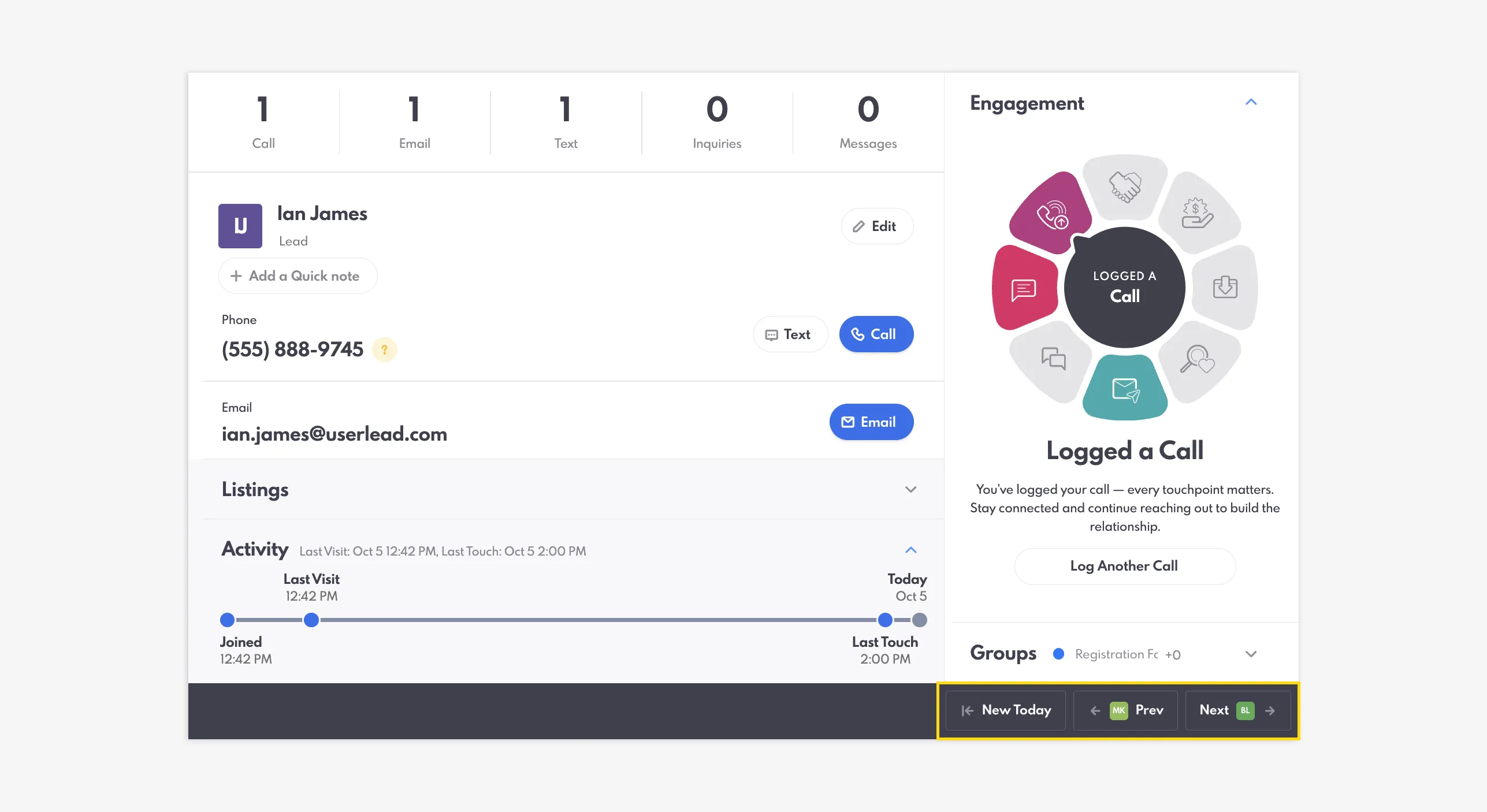
Use the Next and Previous buttons when working through your Smart List
Your Lead Details can also be customized for the information that you want to see, with moveable/removable panels that you can organize depending on your goals and priorities. For example, you might want the Listings panel or Searches to be more prominent, or you might want to hide Motivations or Tags—and you can move these panels around based on your preferences!
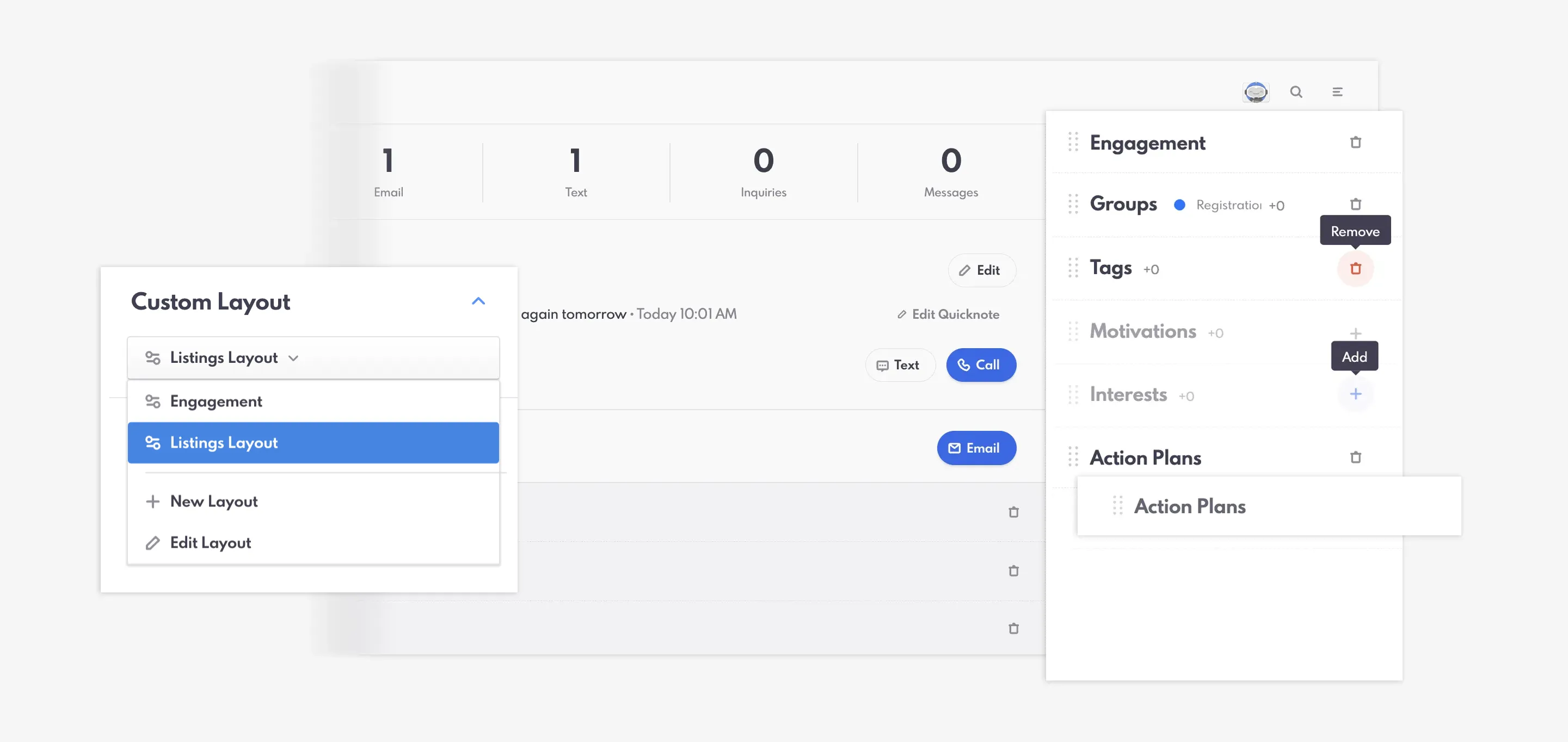
Create a Custom Layout that works best for your process
Notifications are pretty obvious—you don’t want to miss a lead when it comes in, and we have multiple ways that you can set up reminders (push notifications, email, and text)! Additionally, our Automations feature can automatically touch base with a lead, as well as send reminders to you.
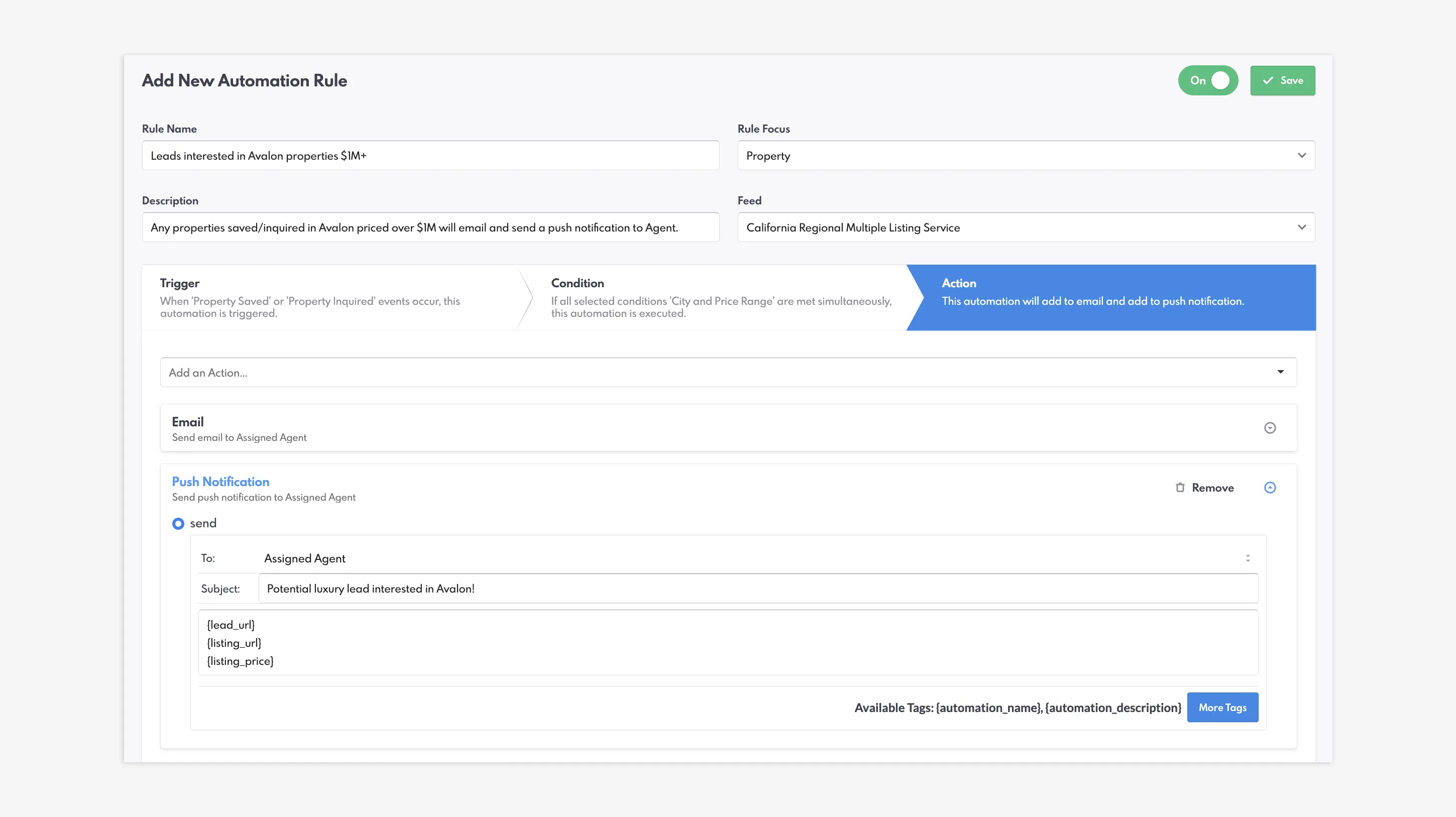
Set Email and Push Notification Actions to your Automations
Step Two: Mastering Speed To Lead
Now that we’ve set up some of the CRM features, we also encourage you to master lead follow-up. Speed to lead is one of the most critical aspects of your business’ success. While your strategies for this can vary based on your preferences and personal style, we encourage getting back to a new lead within five minutes.
Essentially, the likelihood of getting a new client is many, many times higher if you’re the first person who reaches out to them.
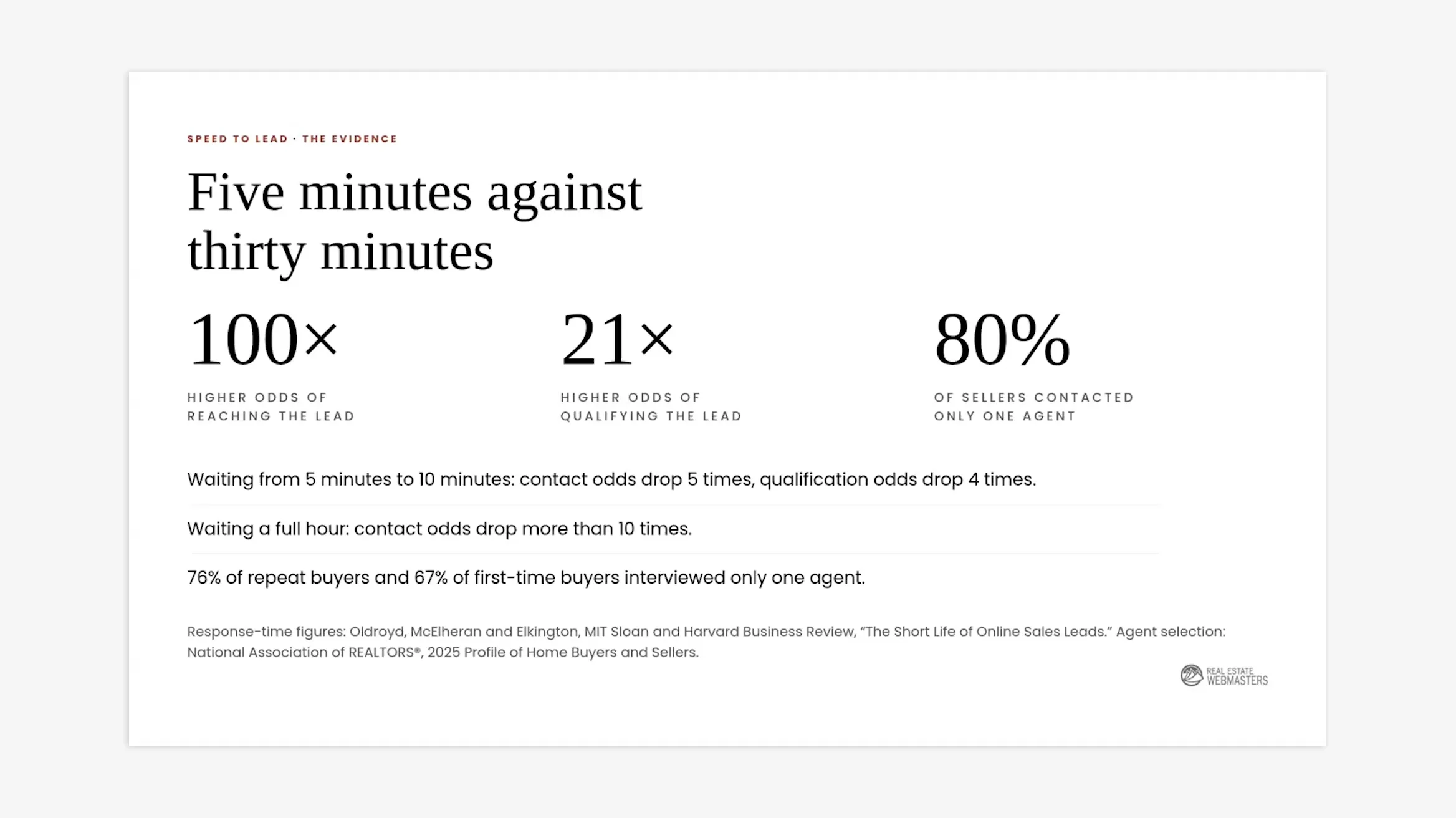
Speed to Lead response-time statistics
But what do you need to master speed to lead? We highly suggest the following:
- Notifications (On Twilio, but as well as push/email/text notification from the CRM)
- Automations (Automatic actions for return visit or saved favourites)
- An agent network (An additional agent and inside sales agent receive notifications as well)
Step Three: Systematic Call Strategies
While you’re getting in touch with a lead, we recommend quickly familiarizing yourself with the Lead Details, including contact information (helping you determine whether this is a spam or fake lead) and Visit History (which tells you more about what they’re looking for). This way you’re ready when they pick up the phone.
The REW Dialer is an optional add-on that streamlines your call sessions by logging information for you automatically. This includes the call duration and a transcript—meaning you don’t have to take any notes manually and therefore can focus entirely on the conversation at hand.
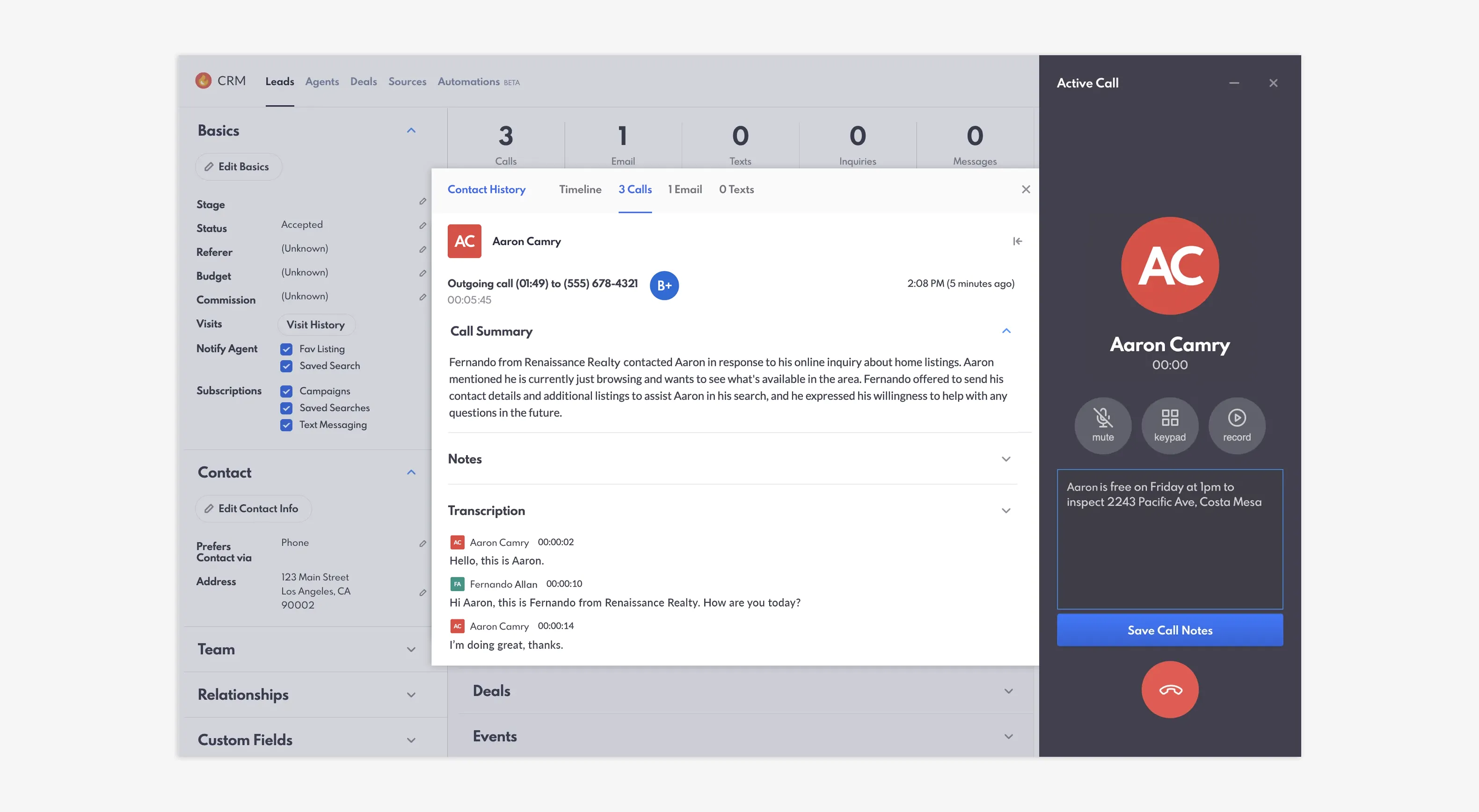
Use the REW Dialer and call transcripts to keep track on call details
As an added benefit, the Dialer’s recording and transcript functions also act as a document that can be referred to later on. In more negative circumstances, you can refer to the transcript if a deal goes sideways as evidence of what you spoke about.
Transcripts are also great for training and education purposes. You can review the details of a call with an agent and go over what worked, what didn’t, and how to improve for next time.
Step Four: Utilizing Report Cards
When it comes to CRM best practices, it really can be summarized by measuring as much information as possible. This includes using Quick Notes for leads, logging what was done and what happens next for every interaction, as well as setting up dedicated call blocking sessions with your Smart Lists.
But one of the other ways you can see major outcomes on your business’ efficiency and success is through the Report Cards feature.
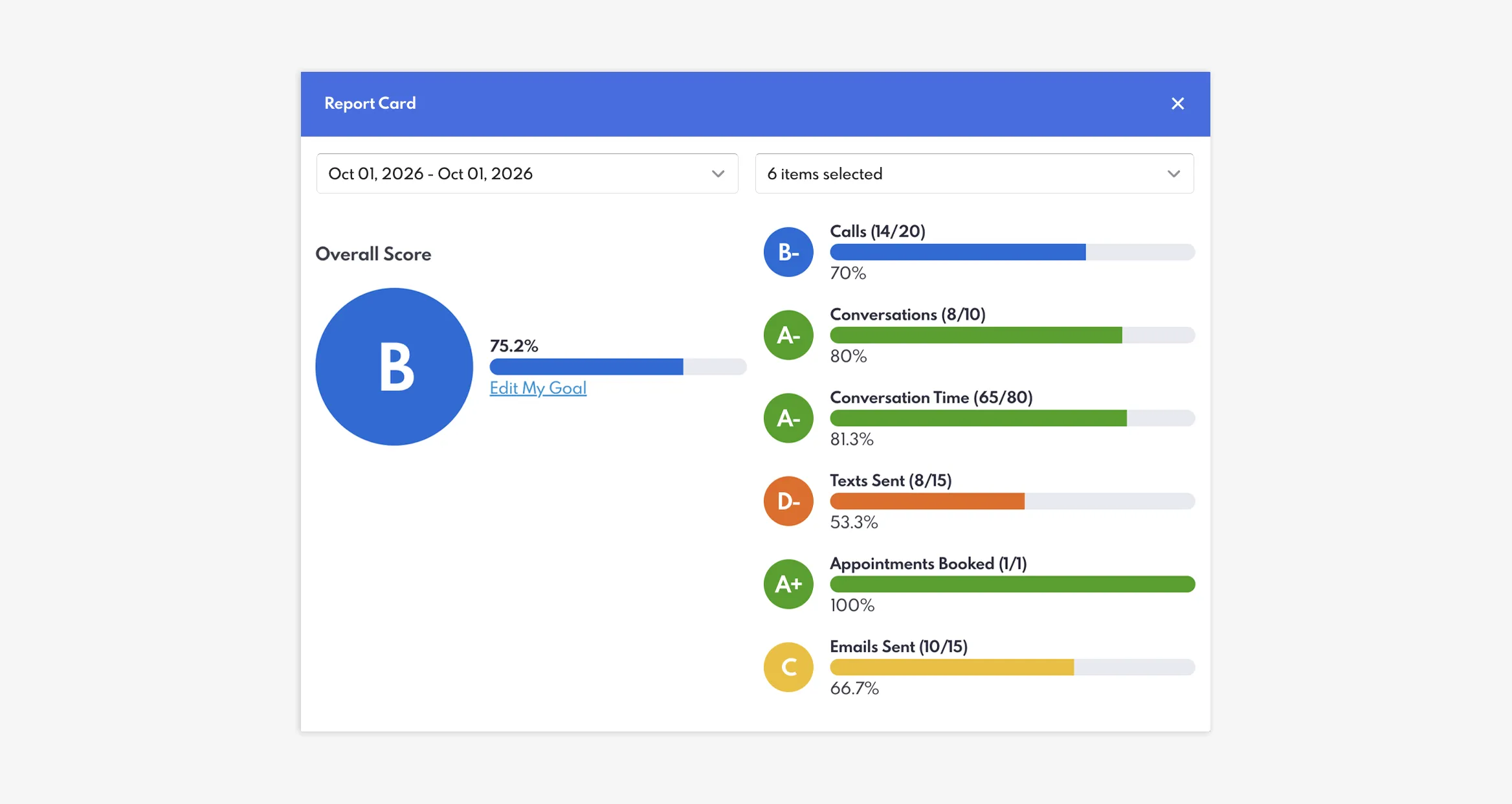
Measure your daily performance with REW CRM's Agent Report Cards
Report cards assign a letter grade based on different call metrics, including number of conversations, conversation time, and appointments booked. By measuring the results of your call block sessions—your daily inputs—against your outcomes, you can easily record your wins and your losses. But more importantly, you can use this for coaching and skill-building to try new strategies and see what really works.
Fostering an environment of continuous growth within your team enables everyone to perform at their highest level and maximize overall efficiency.
Closing Summary
By setting up your workflow, prioritizing rapid lead follow-up, using structured call tools, and routinely evaluating performance, you can ensure your CRM functions as a powerful driver of business growth. To watch the full coaching session on the REW CRM Checklist, sign in here and visit the full replay library.
We host monthly coaching sessions on topics just like these—absolutely free! Keep an eye out for our emails and our social media posts to find out when our next coaching session is and how to register to join.
Are You Using The CRM Correctly? Let’s Talk Best Practices! FAQs
How does the REW CRM help keep agents accountable?
The REW CRM utilizes Agent Goals and Report Cards, providing real-time insights into key performance indicators and goal progress to keep team members aligned and highlight areas where coaching is needed.
Can I track calls, conversations, and appointments on my phone?
Yes. The REW CRM is completely mobile-responsive, allowing you to manually log activities or use the REW Dialer directly from your phone. You can also set up email and push notifications, the latter of which is also compatible with your desktop.
What are the key benefits of using the REW Dialer?
The optional REW Dialer automatically tracks call duration and generates call transcripts, eliminating manual note-taking and enabling AI-powered call grading and coaching.
How do Smart Lists help improve daily workflows?
Smart Lists allow agents to organize lead stacks based on recency and activity (such as New Today or Active Last 7 Days), enabling rapid, structured call sessions without leaving the list.