Coming Soon: My Homes & Compare Listings Feature

The weather is heating up and we’re getting closer to our summer release, which will bring a bunch of new features to the REW CRM. Adding to Automations Phase 3 and new SEO-forward AI features, such as NORÉ and llms.txt, our final sneak peek is of a brand new feature designed to help agents close more deals.
While more technical tools are incredibly important to develop, we were focused on a feature that would strengthen agent-client relations by being able to showcase real, tangible data. Keep reading to discover all of the cool things that this feature can do!
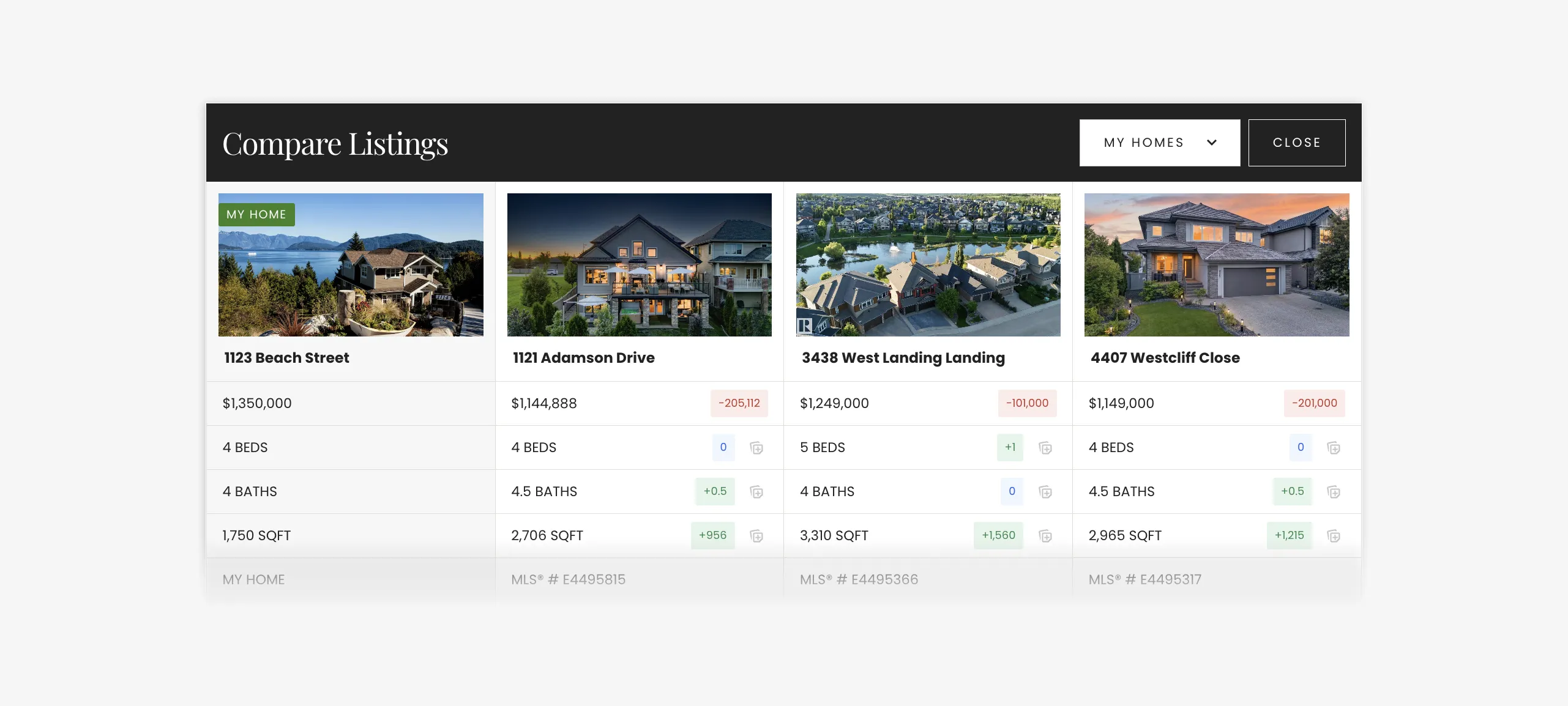
Compare Listings feature on Renaissance
Table of Contents
My Homes And Compare Listings: The Long And Short Of It
The My Homes and Compare listings feature (despite its long name!) is a simple and easy tool to use in the CRM. This feature is visible on the front-end of a website, unlike some of the other new features that are backend only.
This feature enables users with an account (clients, agents) to log their property details directly into the CRM. To do this, you will need to fill out pertinent information about the property: the number of bedrooms and bathrooms, the square footage, the price (that the property is listed at or the desired price to list), the address, and an image. More specific data about the property can be added, but these are the basics. As well, it is important to note that the only way to do this is to be logged into an account.
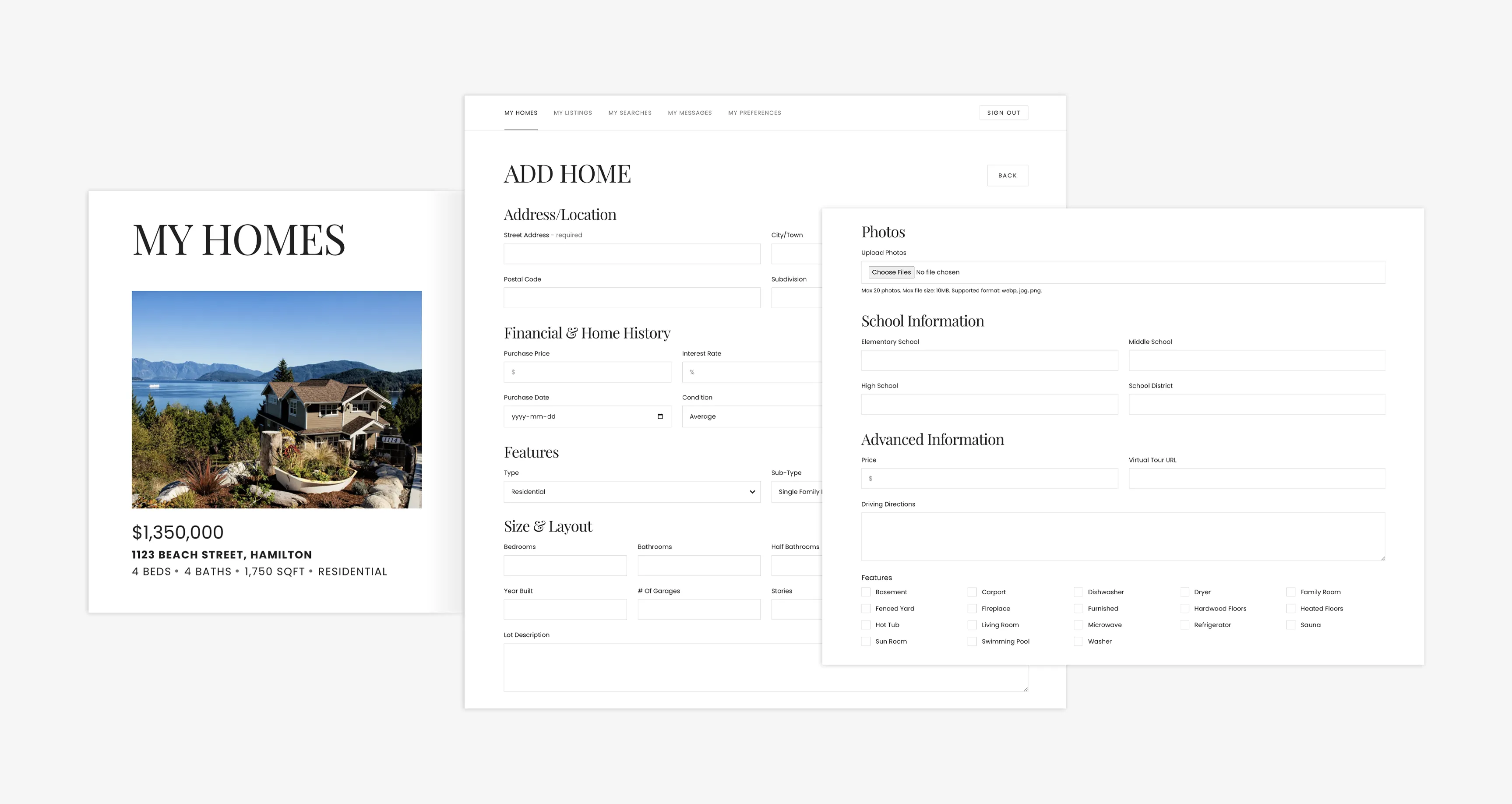
Add and save your home's information to the My Homes feature in your Dashboard
Once a property is registered, you are able to select one or more active listings to compare, side-by-side. Simply find your property within the Dashboard, underneath the My Homes section, click on the Compare button on any IDX snippet, select your home from the dropdown menu, and select which properties you want to compare.
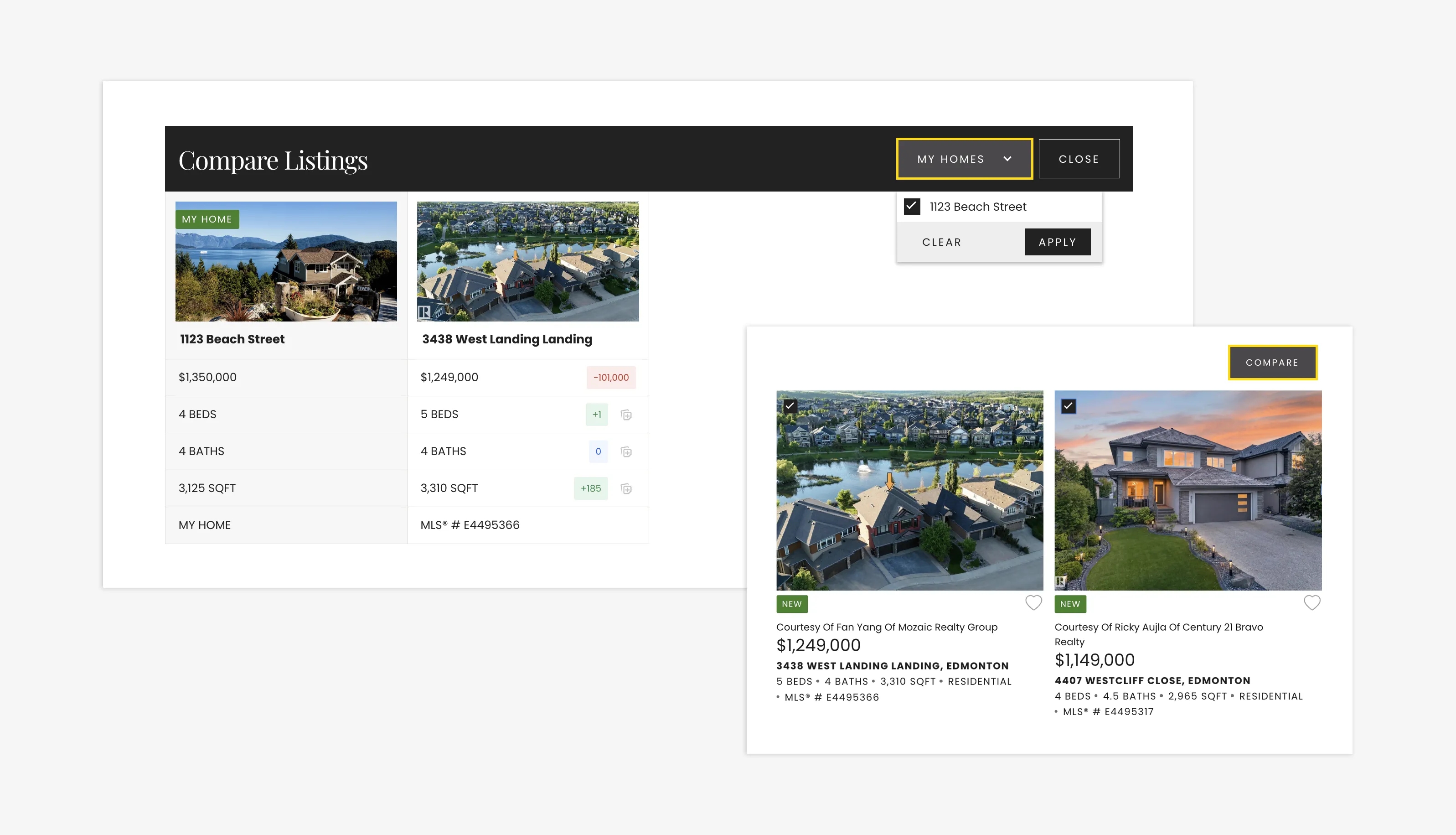
Select your home and compare other listings using the Compare Listings feature
Increases and reductions in the Compare Listings four-column layout are colour-coded, which means it is easy to see the differences between each property—more bedrooms, less bathrooms, price per square footage, listed price. However, you can only compare one of your own properties at a time.
The Advantages For Agents
My Homes and Compare Listings is built around agent-led workflow. Because of this feature’s real-time view can be an incredible tool for agents seeking information on how to assist in pricing a new listing or showing a client similar properties in the area. In short, it serves as a powerful tool for fostering data-driven conversations about home value.
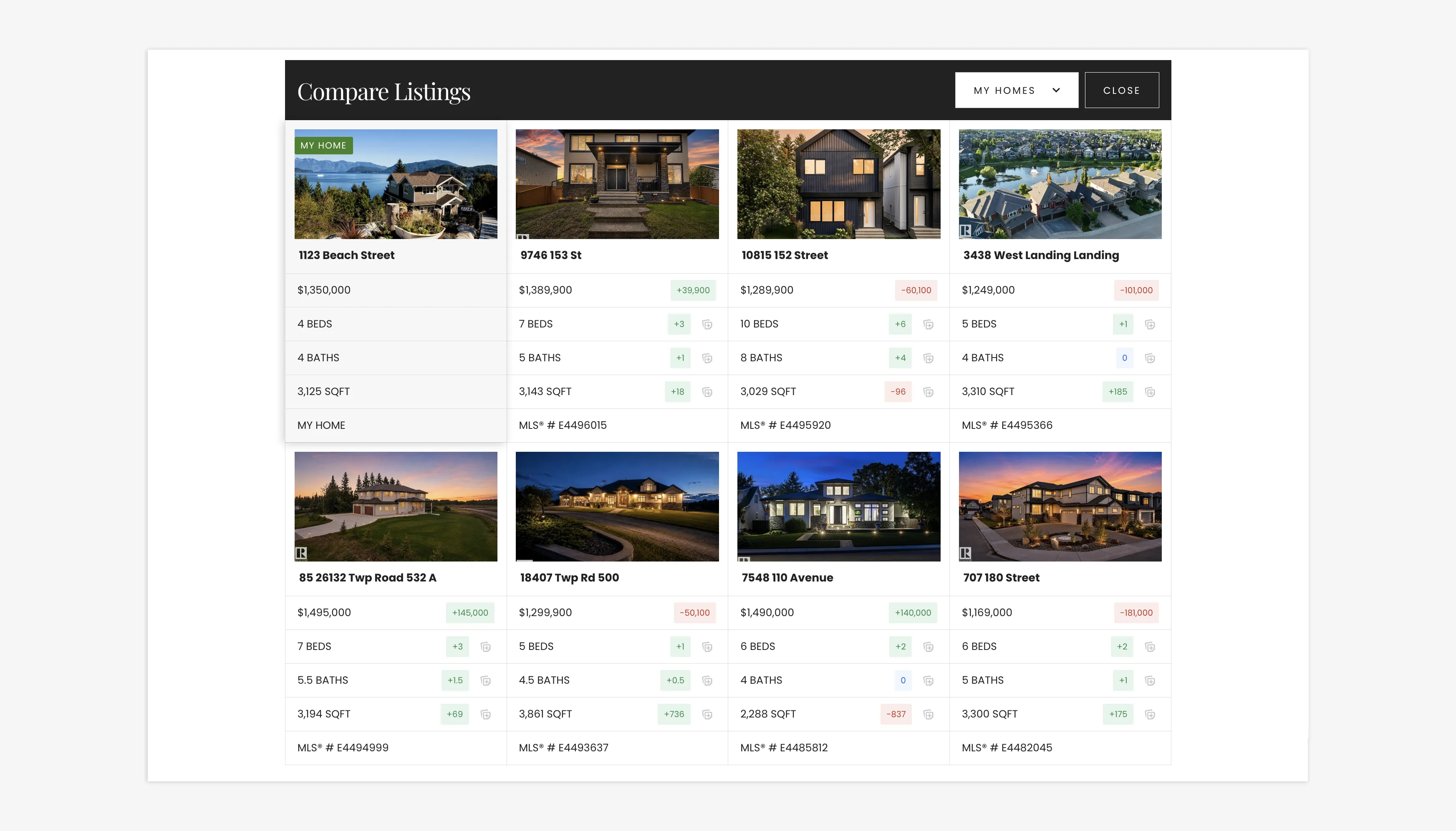
Compare your home's value to multiple listings directly on your website
Furthermore, agents can even simulate the potential impact of renovations or upgrades by temporarily modifying home values during the comparison, helping clients visualize how specific improvements might increase their market position.
There is also the added benefit of this tool being entirely online, which means that agents and clients can go in at any time and, through video call or in-person, view comparisons and adjust prices accordingly. It gives clients a clear view of where their home stands in the current market—and that’s incredibly valuable!
Closing Summary
My Homes and Compare Listings is an easy, simple tool that can be used by agents to provide clearer, more substantial information about the real estate market to their clients—though it can also be used by clients when considering listings and/or pricing their own home.
Agents can leverage up-to-date market data and interactive comparisons, supporting their clients by helping them make the informed decisions necessary to close more deals.
Stay tuned for more updates about our summer release—including in-depth tutorials and handy tips.
Coming Soon: My Homes & Compare Listings Feature FAQs
Can clients and agents use My Homes & Compare Listings?
Yes, this feature is available to everyone who is logged into their account.
How many listings can you compare at one time?
You can compare one of your own properties against as many other listings as you'd like.
What metrics can you compare for each property?
My Homes and Compare Listings allows you to compare bedrooms, bathrooms, square footage, and price.
How do I enable My Homes and Compare Listings?
You must ensure that this feature is toggled on within each IDX snippet. This is found when you scroll all the way to the bottom, underneath the map.
What are the benefits of using this feature for agents?
The My Homes and Compare Listings feature delivers real-time data that can be shown to clients, which is helpful for pricing a home.