Fall Release: Save Your Favourite Homes With Portfolios

We’re gearing up for our Fall release—and are giving you a sneak peek of our upcoming new features. From facilitating greater organization to more options for customization, there’s a lot that we’ve been working on to better improve your daily workflows.
Previously, we covered the changes to our APIs, which now provide users with access to more data and the ability to switch between Leads and Deals APIs. In short, it means greater integration for third-party software, including Zapier.
Our next feature is Portfolios, which offers clients, potential or existing, greater control over the listings that they want to keep track of. Let’s take a look at what this feature has to offer!
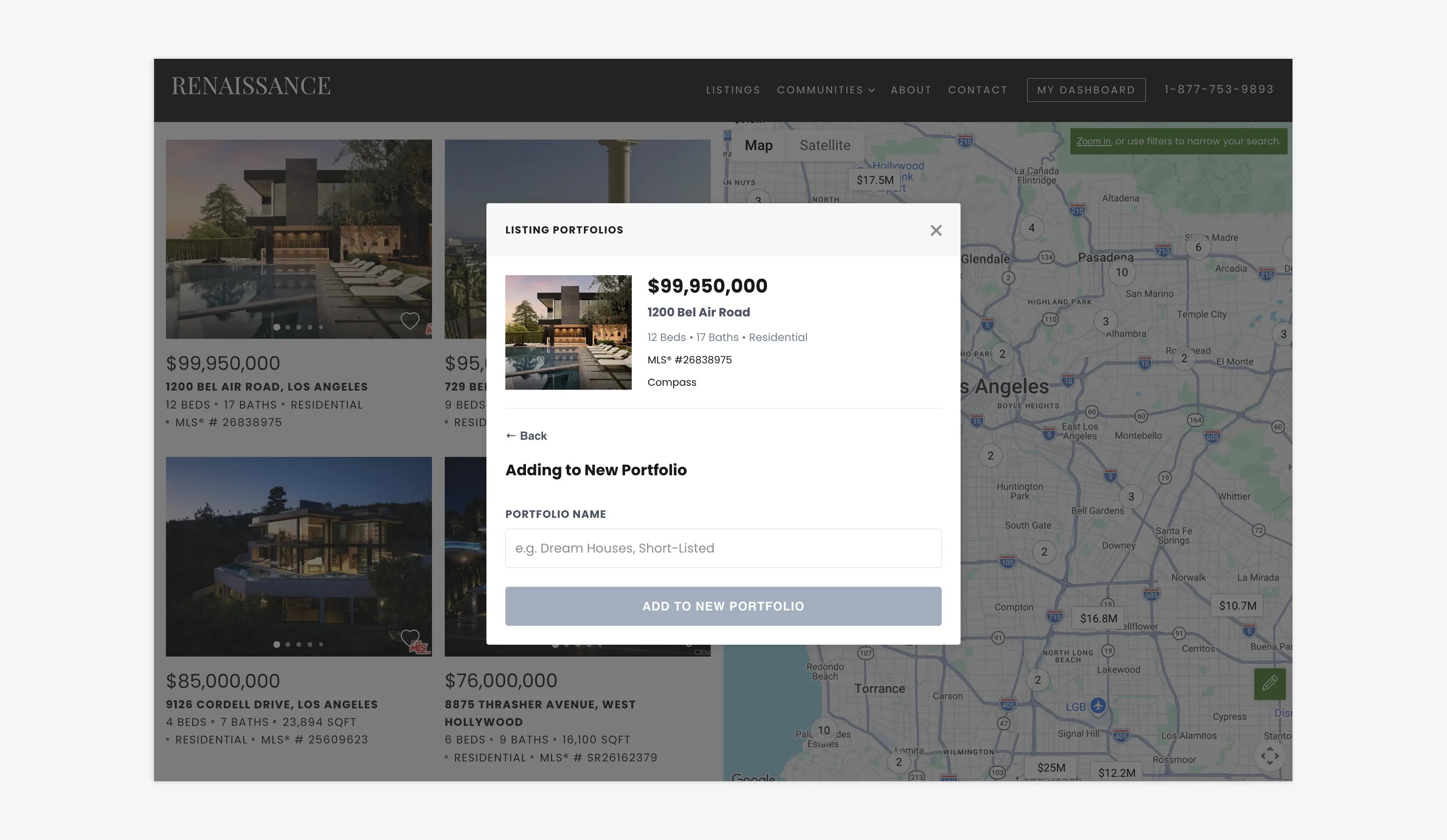
Categorize your favorite listings into Portfolios
Table of Contents
Portfolios: A Gallery Of Your Favourite Homes
Portfolios is a front-end feature that allows users to save and organize properties into customizable folders, instead of having to bookmark the page or add the listing to their Favourites.
With the addition of Portfolios comes two major updates: the inclusion of the save menu while browsing listings, and the Portfolios section in My Dashboard.
Users can add a listing to their portfolio by clicking on the heart icon in the bottom-right corner of a listing. Doing this will pull up the Listing Portfolio menu, which asks users if they want to save the listing to an existing Portfolio (essentially a list) or if they would like to create a new one. You also have the ability to save a listing to multiple Portfolios.
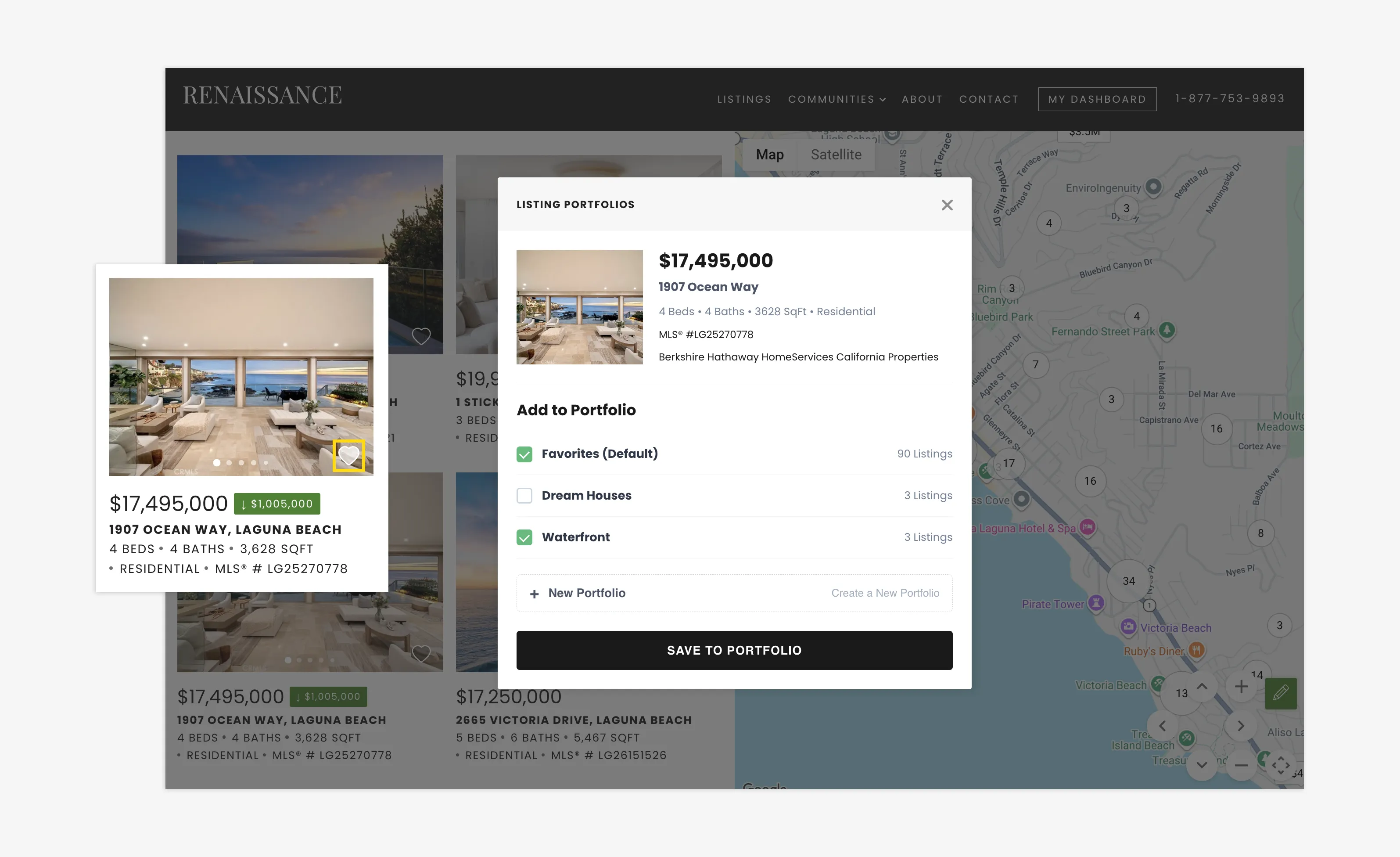
Simply add listings to your current Portfolios
Once they click “Save To Portfolio”, that listing then gets saved on their account. To access all of their saved listings, users can navigate to the “My Dashboard” button, found in the top navigation bar, and then select “My Listings” from the drop-down menu.
Here, you will be able to view all of your Portfolios, all of the listings within them, and delete any listings that you no longer find relevant.
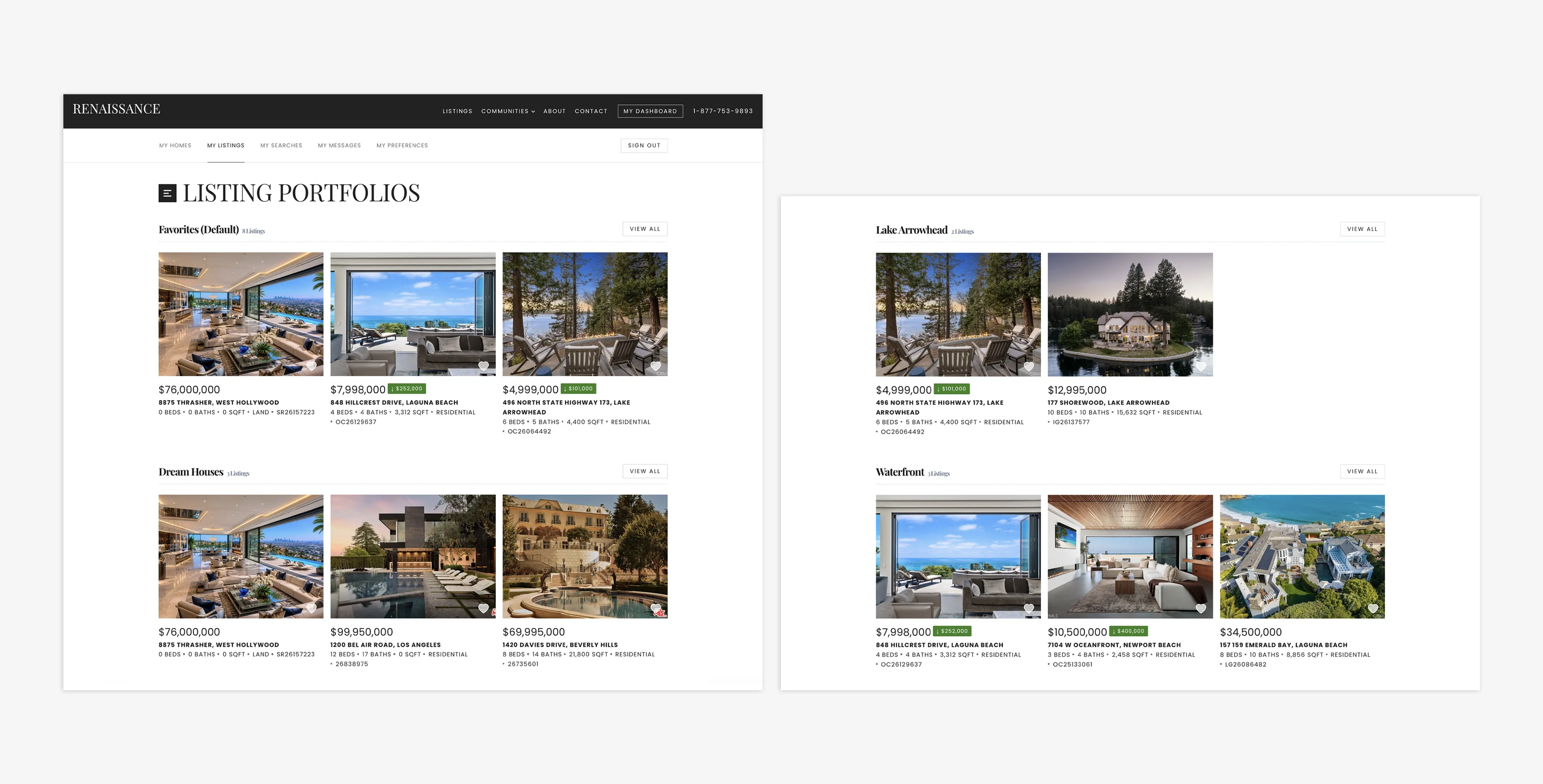
View your custom Portfolios inside your Dashboard
Enhancing The User Experience
Portfolios provides your leads with greater control and clarity as they navigate and curate their property search.
It is particularly beneficial for users who want to stay organized. The capability of adding new Portfolios can help keep listings separated by specific characteristics, such as neighbourhood, property type, or (if there are multiple people browsing listings, such as a married couple) by the name of the person searching.
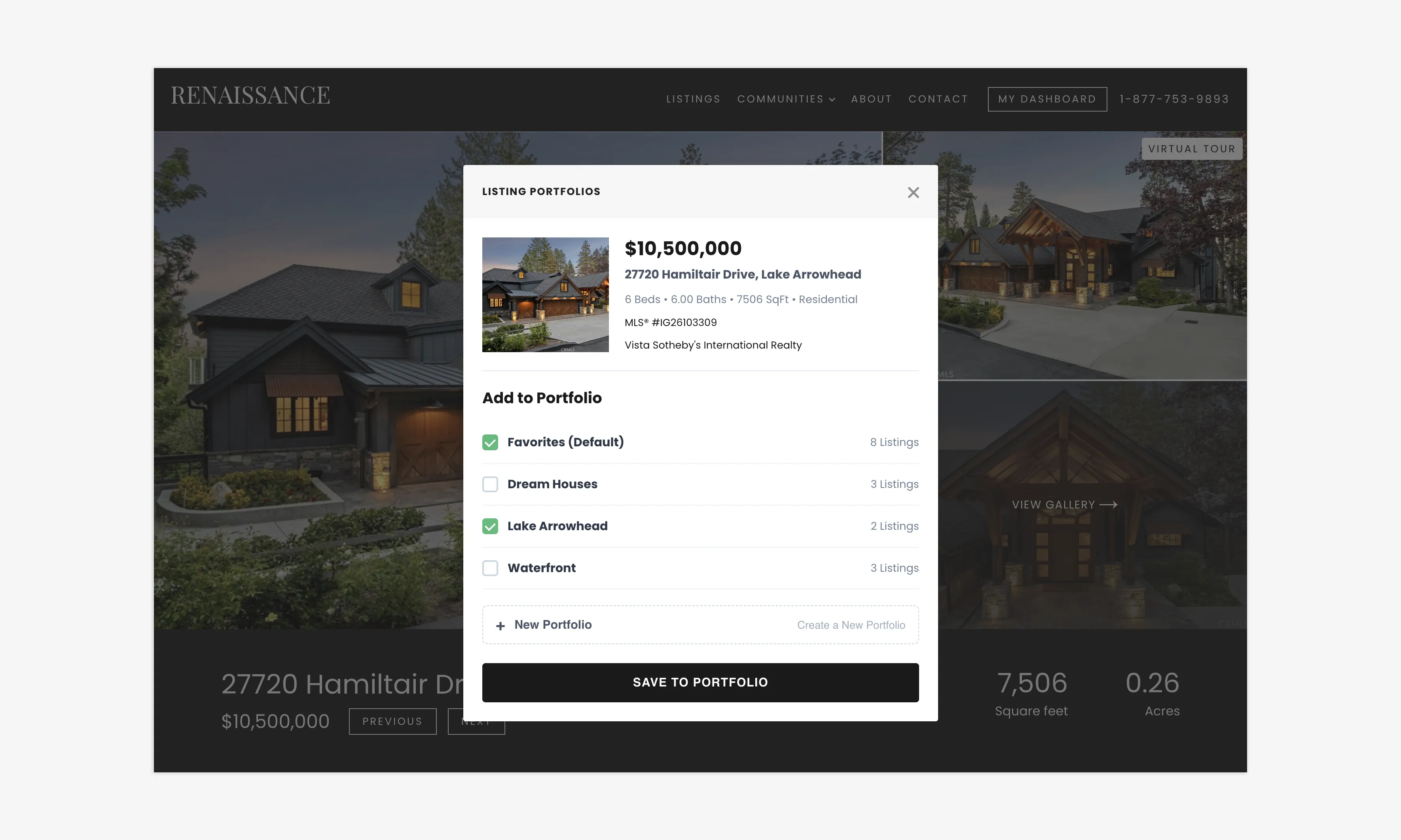
Categorize your Portfolios to stay organized
As well, users curate their own experience; they choose the listings they like, and these are added to their Lead Profile. This feature is designed to be intuitive, and it makes adding, sorting, and removing properties quick and easy.
In short—users can better keep track of the properties that interest them, narrowing down what they like all in one place.
Do Even More With My Homes & Compare Listings
Real Estate Webmasters is working at full speed to build powerful website tools that deliver an exceptional user experience.
Recently introduced in our Summer release, My Homes and Compare Listings gives users a complete set of tools to track and evaluate their property when getting ready to sell. Registered users (clients and agents) can log property details—such as the number of bedrooms, bathrooms, square footage, price, address, and an image—directly in the CRM. Once added, they can go to the My Homes section and compare their property to those already on the market.
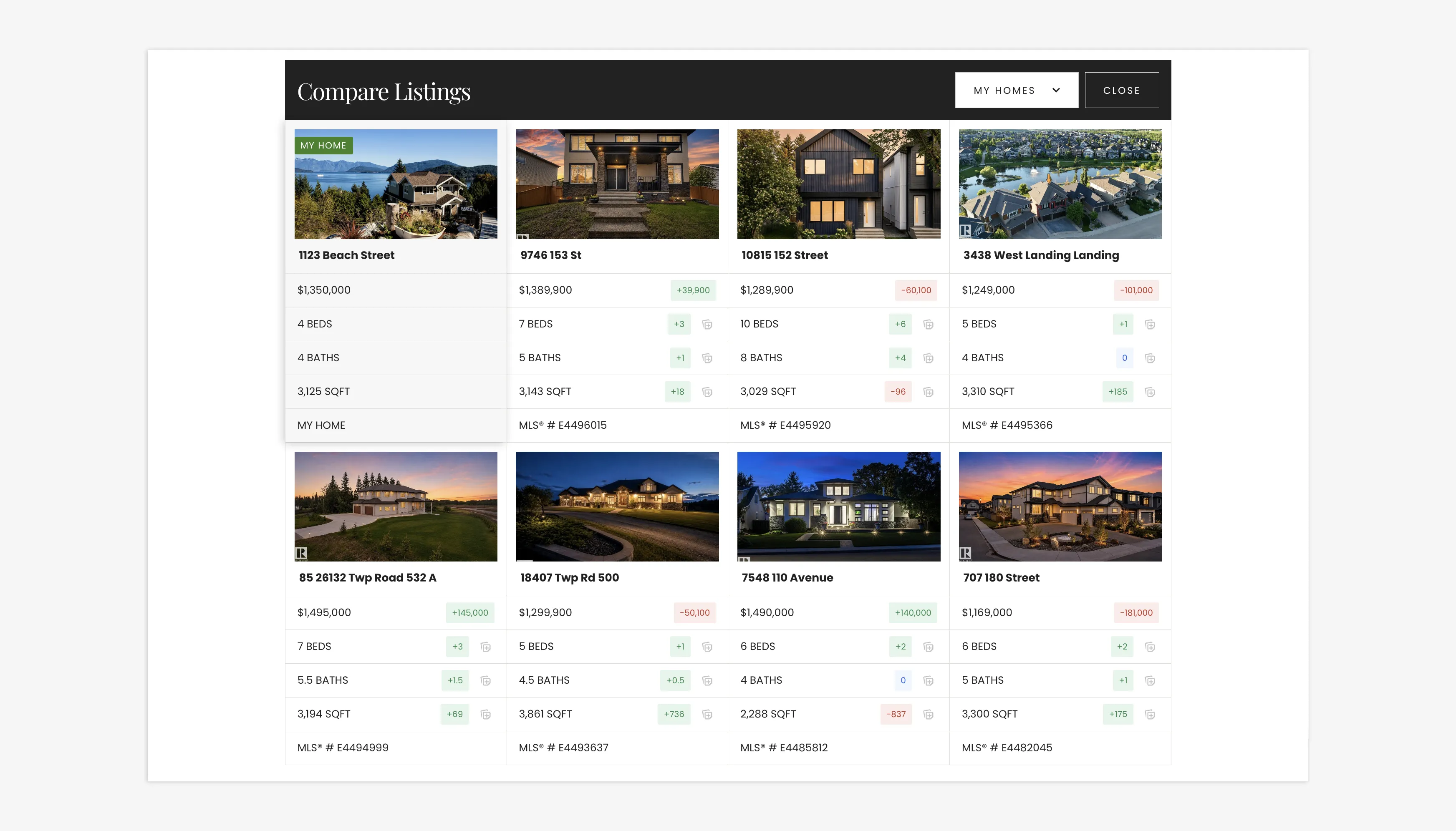
My Homes & Compare Listings feature on Renaissance
Designed to support agent-driven workflows, My Homes and Compare Listings provides real-time insights that help agents accurately price new listings and present comparable properties to clients.
Ultimately, this functionality empowers agents to guide clients through informed, data-backed discussions regarding property value. Just like Portfolios, users will be able to stay organized keeping tabs on multiple property listings.
Closing Summary
Our new Portfolios feature empowers users to take greater control of their property search. By allowing clients to easily categorize and curate their favourite homes into custom folders, you facilitate a more organized and intuitive experience that keeps clients engaged.
We’re super excited to share this in our upcoming Fall release! Have a feature that you’d like to see us add? Visit our Forum and leave us your suggestions!
Fall Release: Save Your Favourite Homes With Portfolios FAQs
Do users have to be logged in for this feature to work?
Yes, this is a feature that is available to users, therefore they must be signed in on the website.
Can I save a single listing to multiple folders?
Yes, you can save a single listing to as many folders as you like.
My Portfolio only shows the last three listings. Where are all the rest in that list?
Each Portfolio will indicate, beside the title, how many listings are in that Portfolio. To view all the listing, click "View All."
Will my agent be able to see my Portfolios?
Agents can see what listings users have saved within the Favourites section of their Lead Details page.